
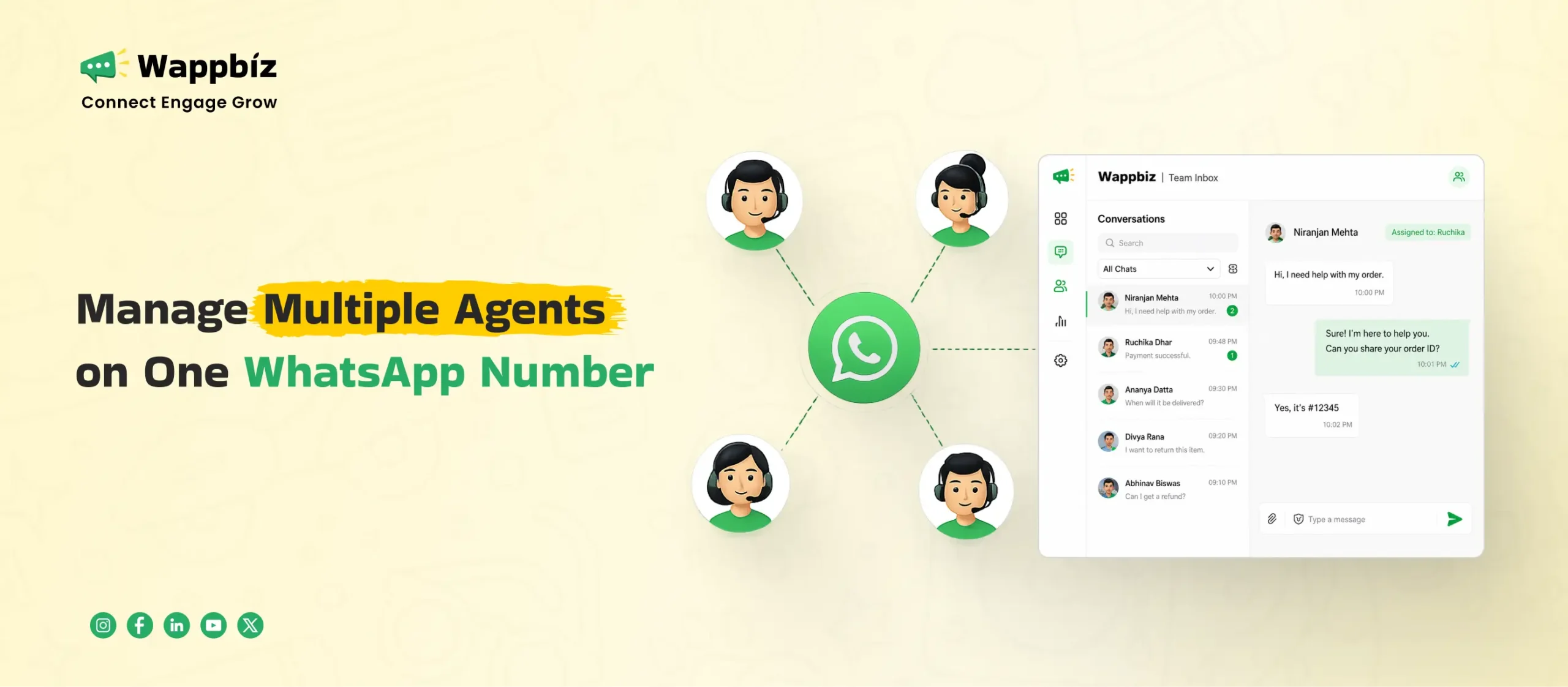
Learning how to manage multiple agents on one WhatsApp number is one of the most important steps you can take to grow your business today. WhatsApp is where your customers want to talk, ask questions, and buy products. But when you try to run your whole business sales and support teams from a single regular phone or a basic web browser, your communication breaks down. Inquiries get missed, customers wait hours for a response, and your sales reps struggle to share the workload. This blog shows you exactly how to solve this bottleneck today by setting up a shared team system that allows multiple people to chat with customers at the same time using a single company number.
To solve this widespread team communication challenge, businesses are moving away from restrictive mobile apps and adopting WappBiz. WappBiz is an AI-powered WhatsApp Business API platform that helps your business turn a single phone number into a complete sales, marketing, and customer communication system. Instead of relying on one physical phone, WappBiz layers smart automation and multi-agent workflows on top of the cloud. This ensures your team can handle thousands of customer chats smoothly without ever missing a single lead.
Limitations of Standard WhatsApp Applications
The limits of the free WhatsApp Business app
The free WhatsApp Business app was created for very small setups or single business owners. It lets you link up to four additional web browsers or desktop apps to one primary phone number. However, this companion mode falls short when your team expands. If you look at any comprehensive whatsapp team inbox guide, it is clear that once you have more than a few people trying to chat with clients simultaneously, the app regularly disconnects active sessions. It forces team members out of their dashboards, slows down message updates, and fails to handle a high volume of daily customer inquiries.
The safety risks of sharing one phone or browser screen
Relying on standard tools means your staff must share the exact same login credentials or physically hand a single smartphone back and forth. This creates major safety issues for your business operations. When everyone logs into the same account, you cannot track who sent a specific text or who changed an internal setting. There is no password privacy, meaning anyone on the team can view sensitive customer databases or delete crucial chat logs, leaving your business exposed to security leaks.
How manual messaging creates slow replies and lost sales
When multiple agents try to work out of a single unorganized chat list, confusion takes over. Two agents might reply to the exact same customer at the same time, or worse, an open inquiry might be ignored completely because everyone assumes someone else is handling it. This lack of clear workflow directly leads to slow response times. In today’s competitive market, a delay of even a few minutes allows a warm lead to move to a competitor, causing you to lose valuable sales daily.
Transitioning to a Shared WhatsApp Team System
Introducing WappBiz for team messaging
WappBiz provides a professional way to break free from these single-phone restrictions. It acts as a central workspace built specifically for teams that have outgrown the basic WhatsApp setup. By moving your customer chats to this platform, you give your entire staff a clear and structured environment to work together. Every conversation is organized, tracked, and safely stored in one place, allowing your business to handle high volumes of chats without any friction.
Moving from a single mobile device to a stable cloud system
When you switch to WappBiz, your company number is no longer tied to a physical mobile phone. The entire communication system moves to the cloud, meaning it runs completely through the internet. Your team members can log into the system from any laptop, desktop, or browser, no matter where they are located. This cloud setup ensures that your business stays online all the time, completely eliminating app crashes, unexpected logouts, and slow message loading times.
How the official WhatsApp Business API opens the door for your team
The core technology that makes this multi-agent system possible is the official WhatsApp Business API. Unlike the regular app, the official API is designed by Meta to support large-scale business operations. It removes the four-device limit completely, opening the door for you to add agents as your business needs. Additionally, the API provides advanced features like automated message templates, secure data handling, and direct connection with your other business tools.
Step by Step Guide on how to Setup WhatsApp Team Inbox using WappBiz
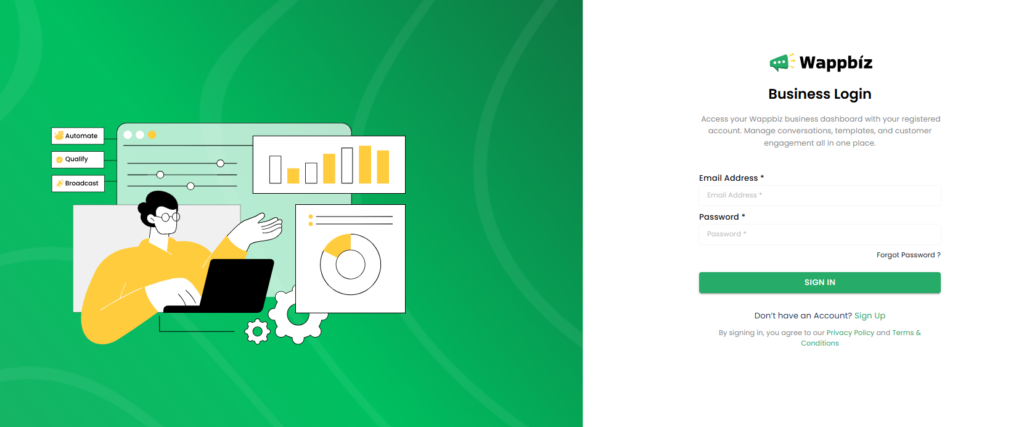
1. Log in to your WappBiz account using your registered email address and password.
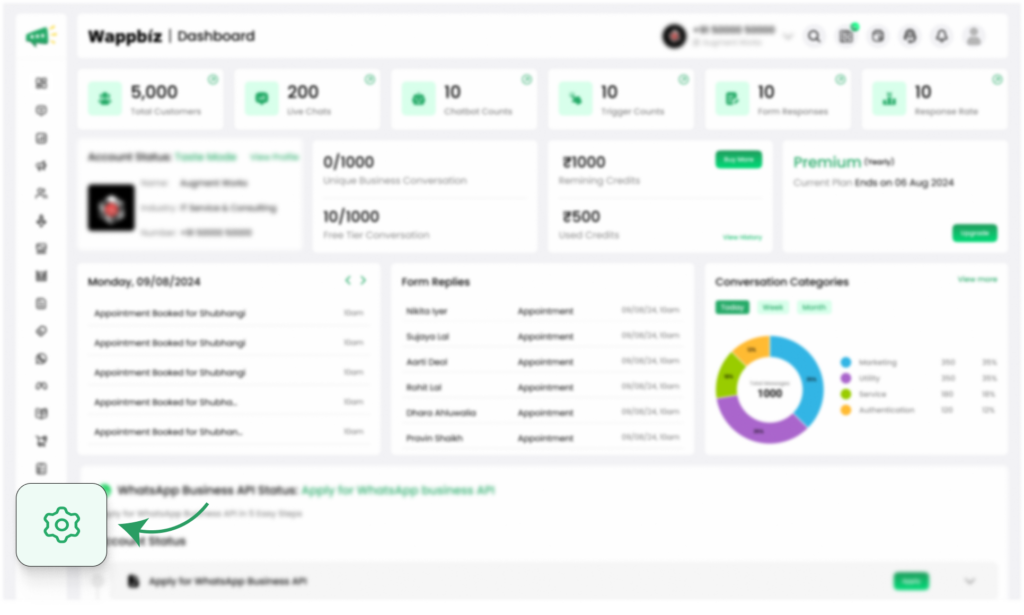
2. Once you’re on the dashboard, navigate to the Manage section from the left-hand menu.
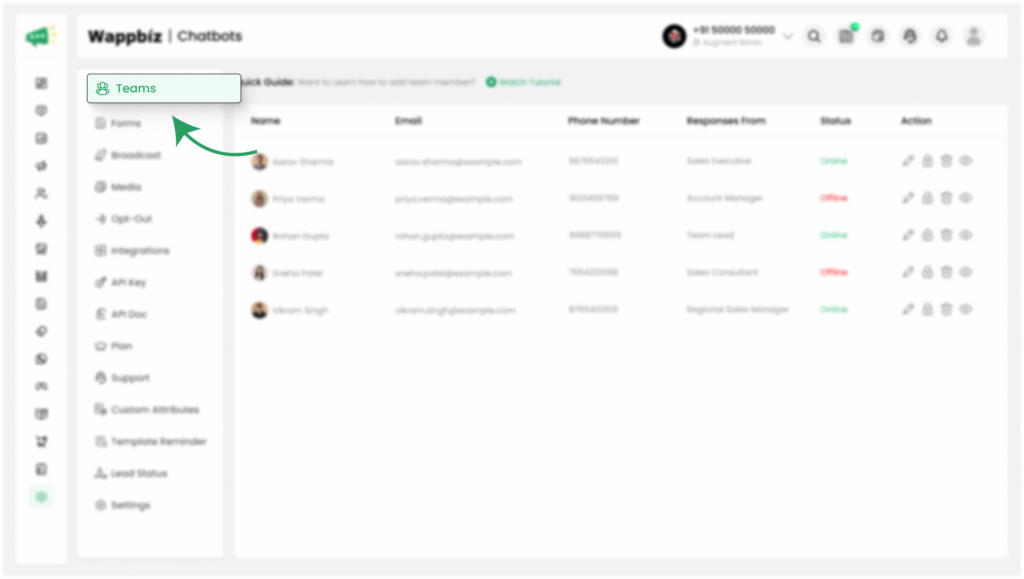
3. Click on Teams to open the Team Management page.
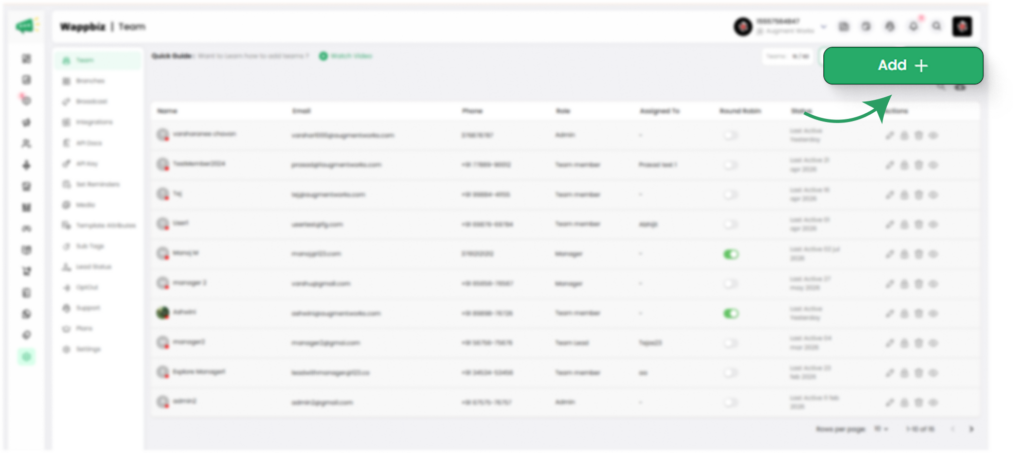
4. On the top-right corner of the page, click the Add button.
5. A pop-up will appear with two options:
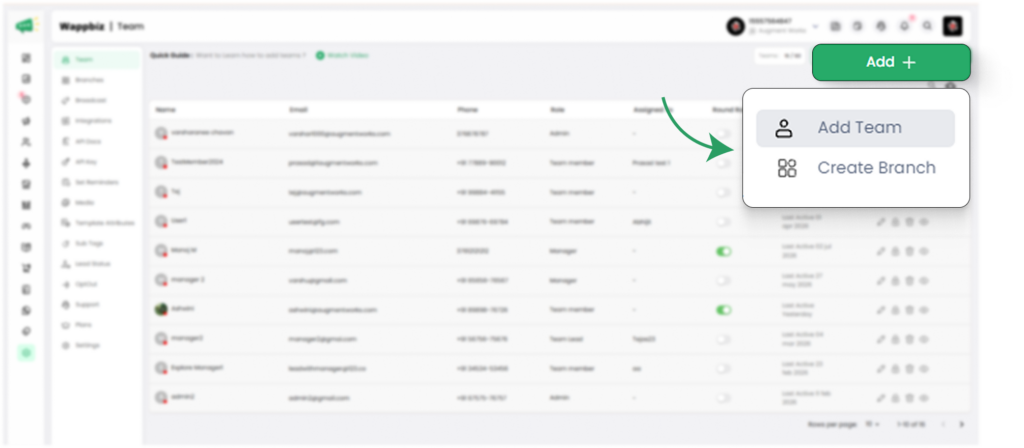
- Add Team
- Create Branch
Add a Team Member
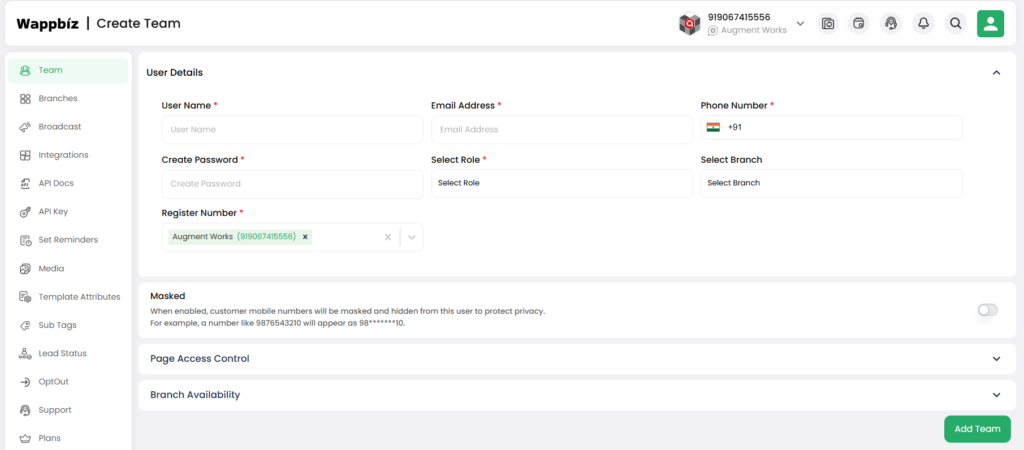
- Select Add Team.
- Fill in the required details, such as the team member’s name, email address, mobile number (if required), and any other necessary information.
- Assign the appropriate Role based on the level of access you want the team member to have (for example, Admin, Manager, or Agent).
- After this, you will see the Page Access Control option. Click on it, then select and grant the permissions you want to assign to that specific team member.
- Review the information to ensure all details are correct.
- Click Add Team to create the new team member.
- The new team member will now appear in the Teams list and can access WappBiz according to the permissions assigned to their role.
Create a Branch
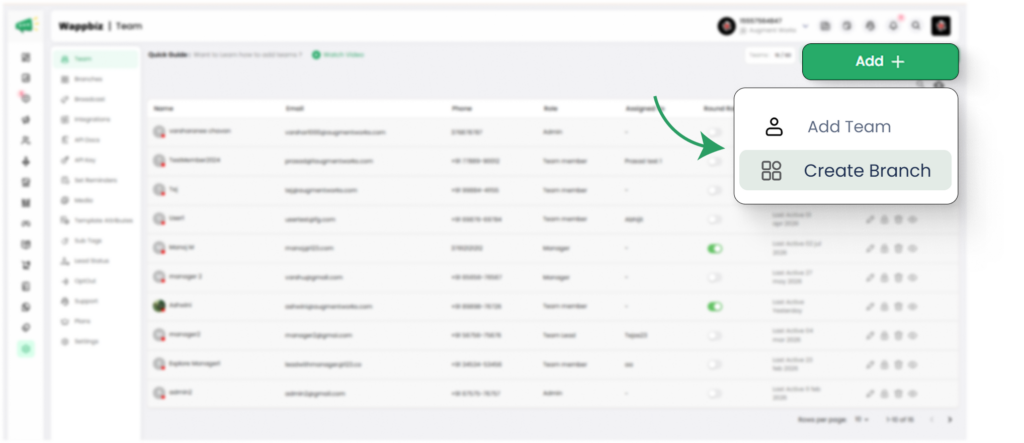
If your business operates from multiple locations, you can create separate branches to manage each one efficiently.
- Click the Add button again from the Teams page.
- Select Create Branch.
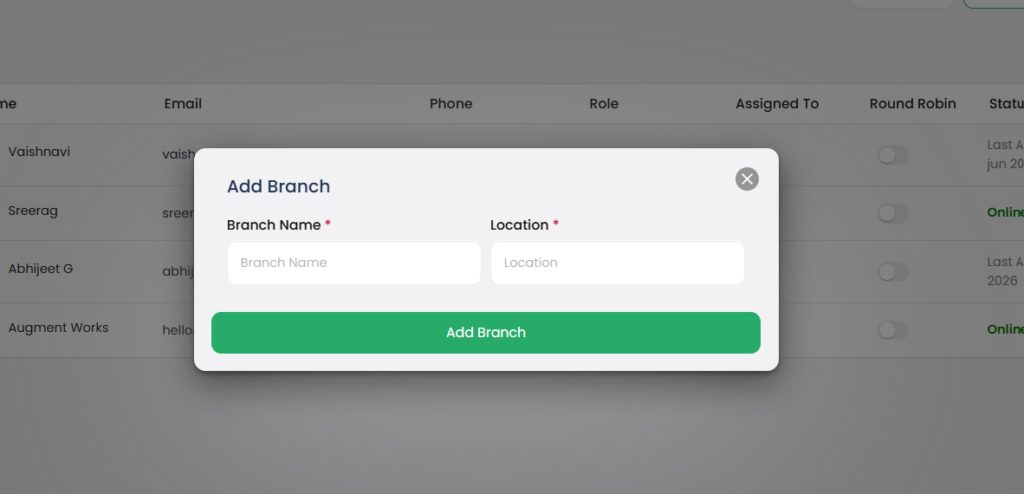
Enter the required branch details, such as the branch name and Location.
Click Add Branch to save the branch.
After creating the branch, you can assign team members to that specific branch. This helps organize your workforce, manage multiple business locations efficiently, and ensure each team member has access only to the conversations and data relevant to their assigned branch.
Note: Creating branches is optional. Use this feature only if your business has multiple offices, stores, or locations that need to be managed separately.
Conclusion
Managing multiple agents on one WhatsApp number is no longer a luxury for growing businesses, it is an operational necessity. Relying on basic mobile apps or shared browser screens creates technical bottlenecks, slows down your customer response times, and leaves your business exposed to security risks. By upgrading your setup to a professional multi-agent system, you completely eliminate these restrictions and give your team the tools they need to succeed.
Taking control of your customer communication is the most effective way to protect your leads and scale your operations smoothly. Setting up your centralized shared inbox, configuring your exact team roles, and structuring your business branches ensures that no customer is ever left waiting. If you are ready to remove team communication bottlenecks, increase your sales, and provide seamless support, transitioning your team to the WappBiz platform today is the definitive next step for your business growth.