

Connect Zoho CRM & Payments with WhatsApp for Smarter Customer Engagement
Connect Zoho CRM and Zoho Payments with WappBiz to streamline customer communication, automate WhatsApp workflows, and create a more connected customer experience.
Powering Customer Conversations for Growing Brands













Why Integrate Zoho with WappBiz?
Sync WhatsApp Activity to Zoho CRM
Log every WhatsApp conversation, lead update, and customer touchpoint automatically inside Zoho CRM eliminating communication gap
Automate Transactional Messaging
Trigger automated WhatsApp notifications, invoices, receipts, and payment reminders directly through supported Zoho Payment workflows.
Personalize Campaigns
Leverage dynamic Zoho CRM fields to schedule targeted, automated WhatsApp outreach tailored to specific customer milestones.
Eliminate Pipeline Leaks
Keep deal stages and CRM records updated via WhatsApp sync for complete sales pipeline visibility.
Track Agent Performance
Monitor WhatsApp conversations to measure response times, evaluate communication quality, and improve agent training inside your CRM.
Unify Workflows
Connect CRM data, payment tracking, and messaging to build a single, seamless communication ecosystem.
How to Integrate Zoho with WappBiz
Step 1 — Open WappBiz Integrations
Log in to your WappBiz account and navigate to the Integrations section.
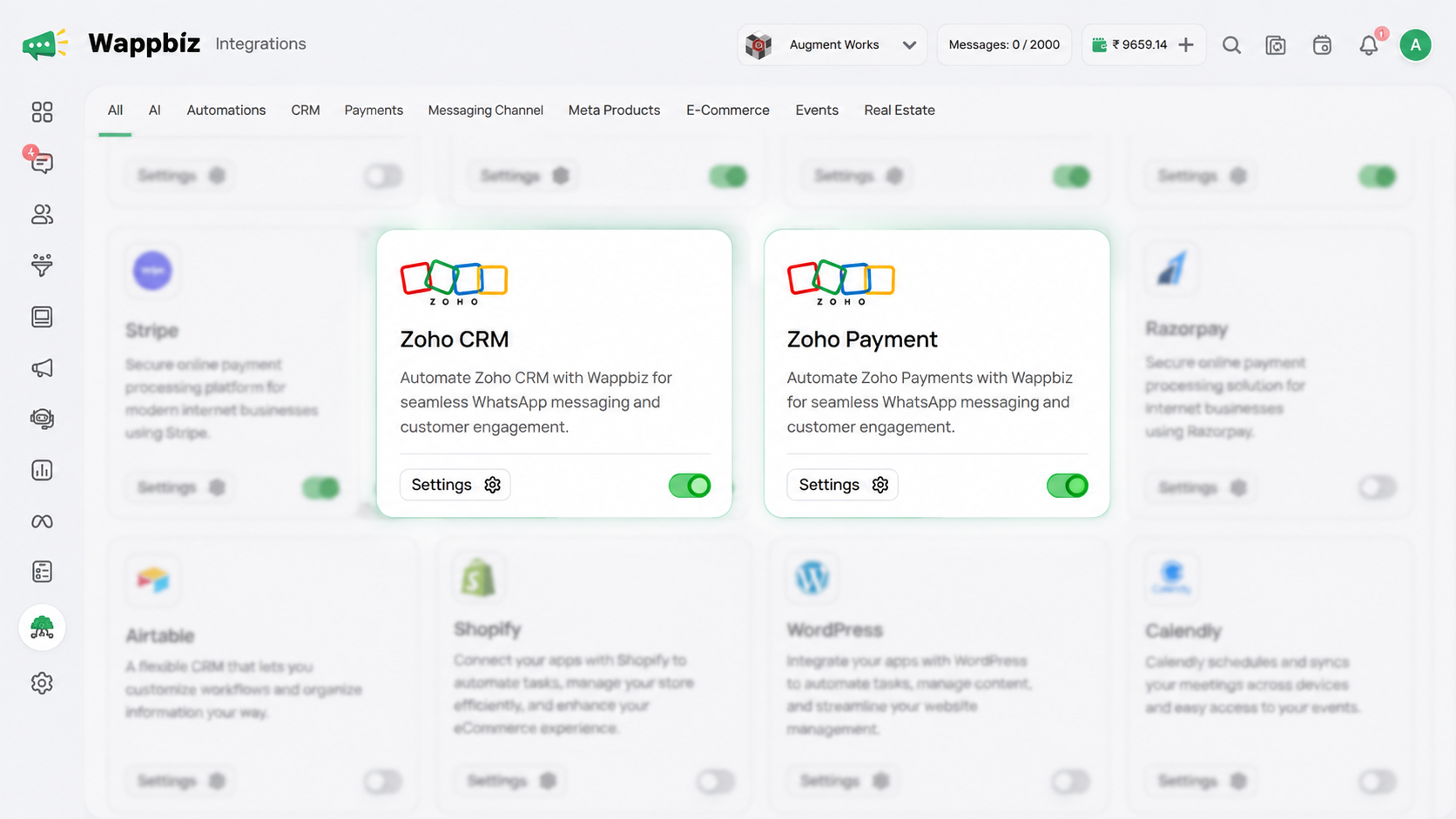
Step 2 — Choose Your Zoho Integration
Select Zoho CRM or Zoho Payments, depending on the workflow you want to connect.
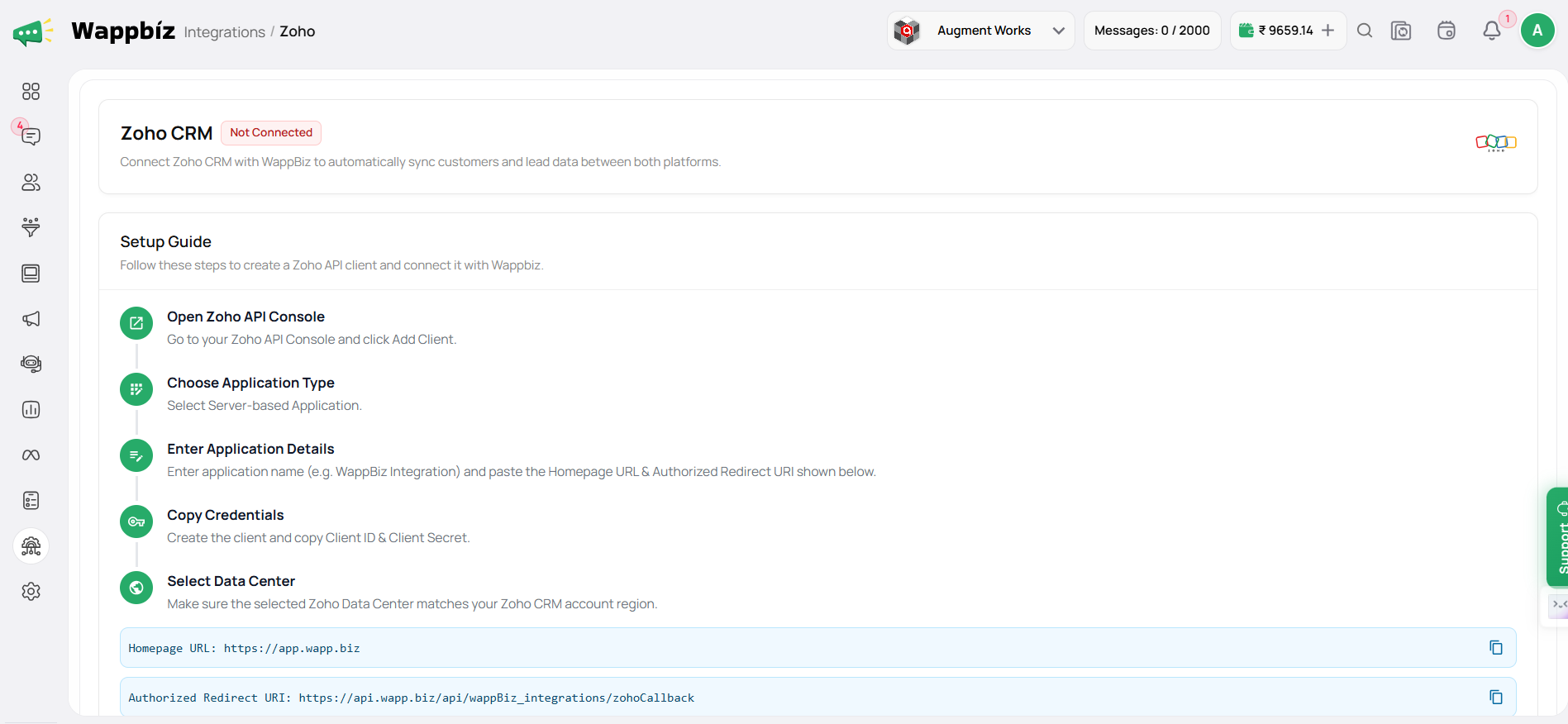
Step 3 — Configure the Integration
Follow the integration setup and provide the required permissions or configuration details.
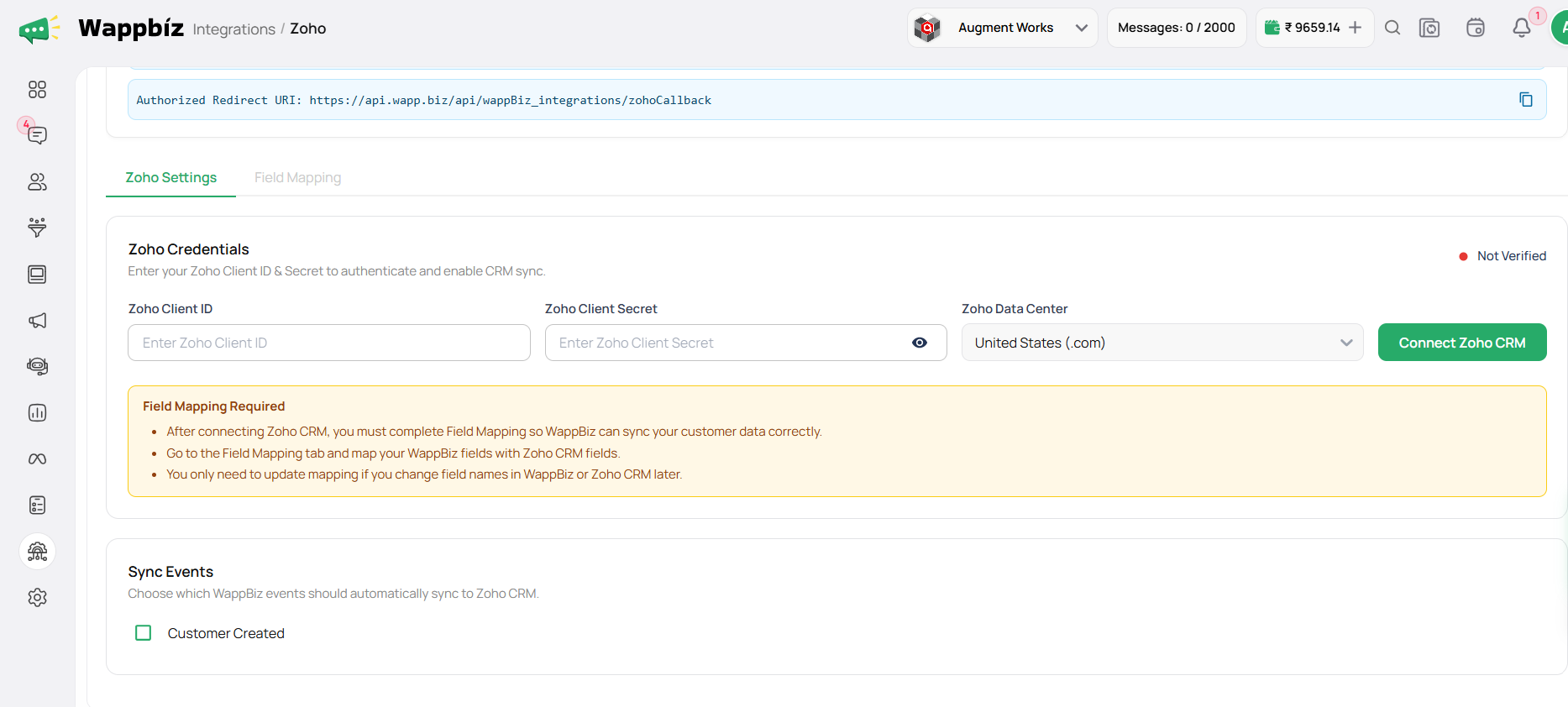
Step 4 — Activate Your Integration
Complete the setup to enable the supported Zoho and WappBiz workflows.
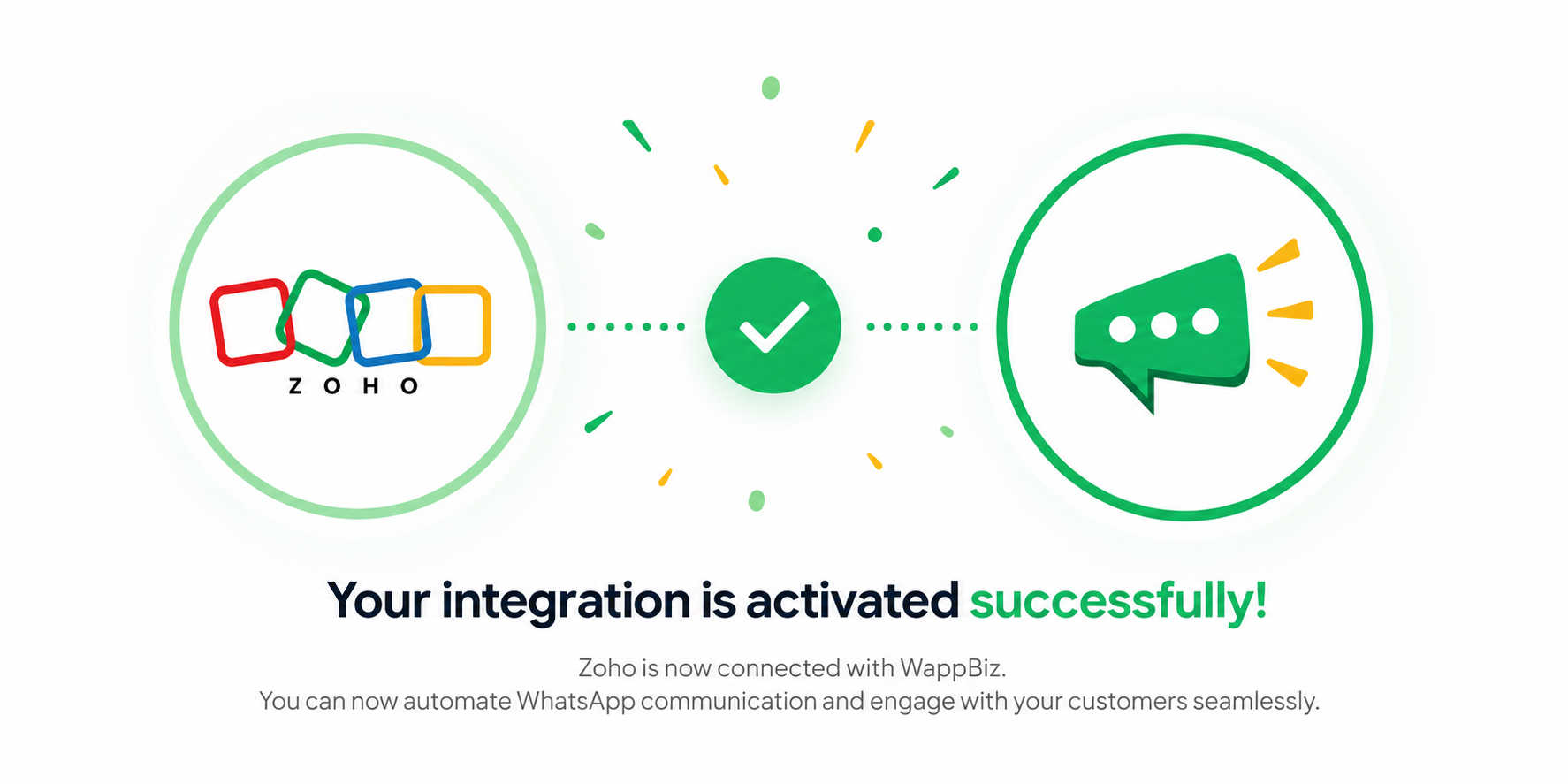
You're All Set!
Now, you’re all set to connect Zoho CRM and Zoho Payments with WappBiz for seamless WhatsApp messaging, automation, and customer engagement

Frequently Asked Questions
The integration connects Zoho CRM and Zoho Payments with WappBiz to support WhatsApp messaging, automation, and customer engagement.
Yes. WappBiz allows you to connect Zoho CRM with WhatsApp to streamline supported messaging and customer engagement workflows.
Yes. Zoho Payments can be integrated with WappBiz to support WhatsApp communication around your customer and payment workflows.
Yes. WappBiz provides integrations for both Zoho CRM and Zoho Payments, allowing businesses to connect the relevant Zoho tools with their WhatsApp communication.
The integration helps streamline customer communication, reduce repetitive messaging, support automation, and create a more connected customer experience.
Yes. WappBiz can be used to automate WhatsApp communication within supported Zoho workflows.
Go to Integrations in WappBiz, select Zoho CRM or Zoho Payments, and follow the setup instructions to activate the integration.
It is ideal for businesses using Zoho CRM or Zoho Payments that want to streamline WhatsApp communication, automate supported workflows, and improve customer engagement.