
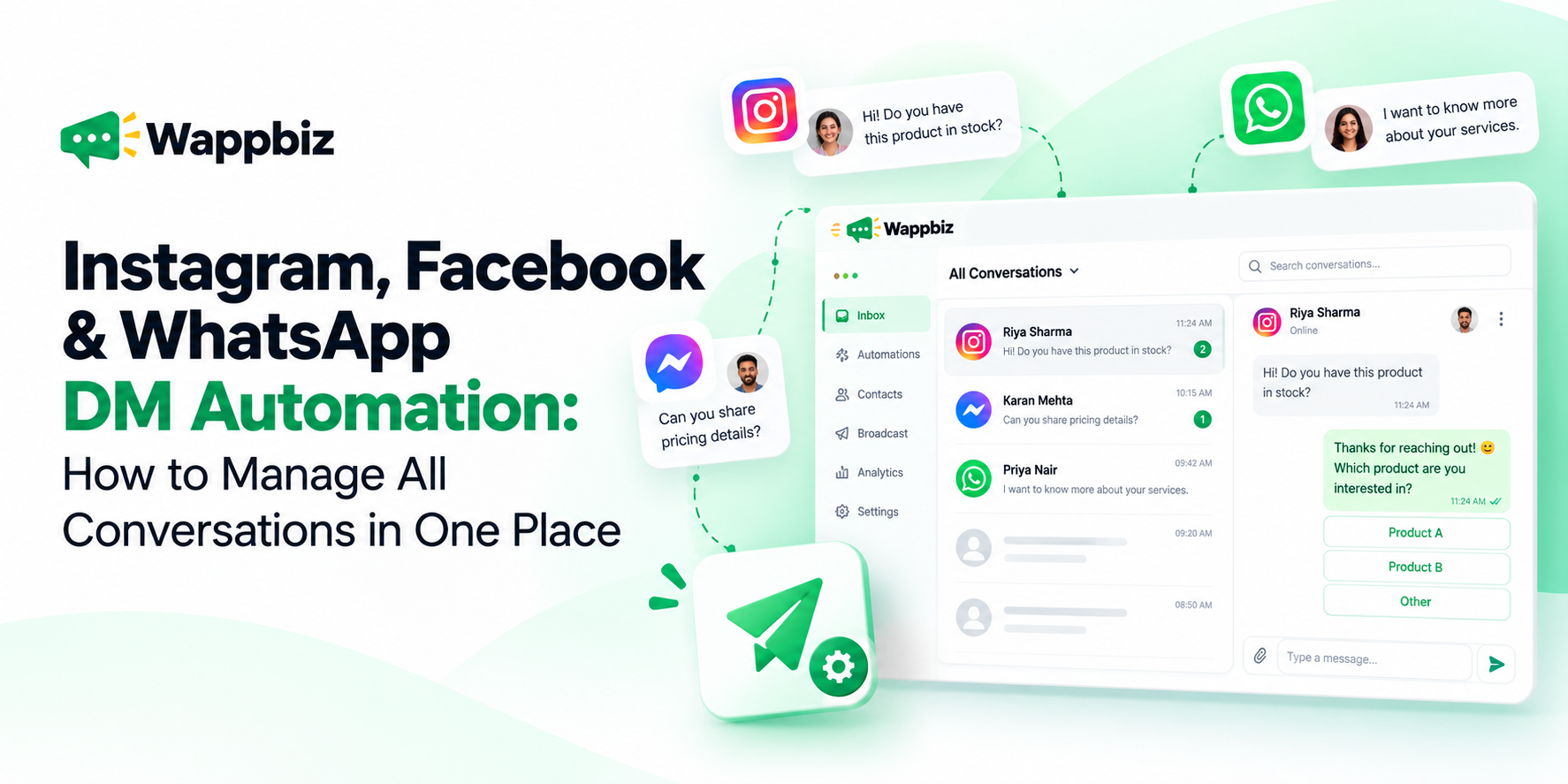
Customers don’t always contact your business through the same channel. Someone might discover your brand on Instagram, ask a question through Facebook Messenger, and later reach out on WhatsApp to make a purchase.
For businesses, this creates a challenge, how do you respond quickly, keep conversations organized, and ensure important enquiries don’t get lost across multiple platforms?
That’s where DM automation comes in.
With the right messaging automation platform, businesses can simplify how they manage Instagram DMs, Facebook Messenger conversations, and WhatsApp messages helping teams respond consistently, organize enquiries, and create smoother customer experiences.
What Is DM Automation?
DM automation refers to using predefined workflows, automated responses, and messaging tools to manage direct messages across supported communication channels. Instead of manually responding to every incoming enquiry, businesses can configure automated interactions for common questions, customer information collection, and conversation routing.
For example, when a customer messages a business asking about product availability, an automated workflow could provide relevant information, collect basic requirements, or direct the conversation to the appropriate team member. DM automation isn’t necessarily about replacing human interaction. It’s about reducing repetitive work so teams can focus on conversations that need personal attention.
Why Businesses Need Instagram, Facebook & WhatsApp DM Automation
Instagram, Facebook Messenger, and WhatsApp serve different purposes in the customer journey.
Instagram is often where customers discover products, engage with content, and initiate enquiries.
Facebook Messenger allows businesses to communicate with people interacting with their Facebook presence.
WhatsApp supports more direct conversations, including product enquiries, follow-ups, customer support, and ongoing customer communication.
Managing these channels separately can introduce several challenges:
- Customer enquiries scattered across multiple inboxes.
- Delayed responses during busy periods.
- Repetitive questions consuming team members’ time.
- Difficulty assigning enquiries to the right person.
- Inconsistent communication across channels.
- Limited visibility into conversations handled by different team members.
A centralized messaging with meta messaging suite helps businesses reduce these operational challenges while maintaining a more consistent customer experience.
How DM Automation Works Across Instagram, Facebook & WhatsApp
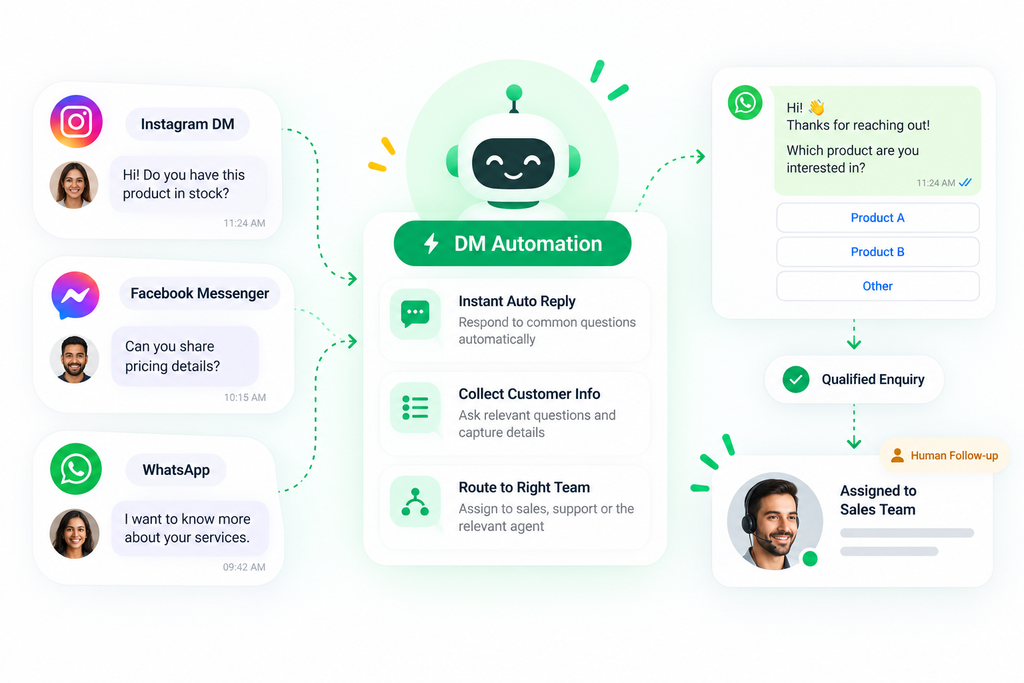
A multichannel messaging workflow typically involves four stages.
1. Receive Customer Enquiries
A customer starts a conversation through Instagram, Facebook Messenger, or WhatsApp. The message might involve a product enquiry, appointment request, service question, or request for additional information.
2. Respond Using Automation
Based on the channel and configured workflow, the business can provide an automated response.
For example:
Customer: “Hi, can you share more information about your services?”
Automated response: “Thanks for reaching out! We’d be happy to help. Which service are you interested in?”
This creates an immediate starting point for the conversation without requiring an agent to manually send the first response.
3. Organize and Route Conversations
When additional assistance is required, conversations can be directed to the relevant team or agent, depending on the platform’s supported routing configuration. This helps sales and support teams manage enquiries more efficiently.
4. Continue with Human Assistance
Not every customer question can or should be handled automatically. When a customer needs personalized guidance, a human team member can continue the conversation through the available messaging interface. This combination of automation and human support helps businesses maintain both efficiency and service quality.
Key Benefits of Managing Customer Messages in One Place
Faster Responses to Customer Enquiries
Customers often expect businesses to acknowledge their messages promptly. Automated responses can help businesses provide an initial reply to common enquiries, even when team members are handling other conversations.
Less Manual Work for Teams
Questions about business hours, product information, appointment availability, or service details can become repetitive. Automation can reduce the time spent answering these routine questions.
Better Conversation Organization
A shared messaging workspace can make it easier for teams to review incoming enquiries and understand which conversations require attention.
More Consistent Customer Communication
Predefined messaging workflows help businesses maintain a consistent tone and provide relevant information across supported channels.
Improved Lead Handling
When customers enquire through social messaging channels, structured conversations can help businesses collect requirements and identify enquiries that need sales follow-up.
Easier Collaboration Between Teams
Sales and customer support teams can coordinate conversations more effectively when supported assignment and inbox management tools are available.
Real-World DM Automation Use Cases
1. Real Estate: Manage Property Enquiries
A potential buyer discovers a property through Instagram and sends a message requesting more information. An automated conversation can ask about the customer’s preferred location, property type, and budget. The enquiry can then be directed to the appropriate sales representative for follow-up.
Business value: More structured lead qualification and fewer repetitive initial questions.
2. eCommerce: Answer Product Questions
A customer sends a Facebook Messenger enquiry about a product. An automated response can help answer frequently asked questions, share available product information, or guide the customer toward further assistance.
Business value: Faster initial responses and more convenient product enquiries.
3. Healthcare: Handle Appointment Enquiries
A patient contacts a healthcare provider through WhatsApp asking about consultation availability.
A configured workflow can collect the type of appointment requested and provide relevant next steps.
Business value: Reduced administrative effort and more organized appointment enquiries.
4. Education: Respond to Admission Questions
A prospective student contacts an institute through Instagram asking about available courses. An automated interaction can provide basic course information and collect details for an admissions follow-up.
Business value: More consistent handling of common admission enquiries.
DM Automation vs Traditional Manual Messaging
| Capability | Manual messaging | DM automation |
|---|---|---|
| Initial responses | Requires an available team member | Can be automated for configured enquiries |
| Repetitive questions | Answered individually | Can use predefined responses |
| Enquiry organization | Often managed across separate inboxes | Can be centralized on supported channels |
| Conversation assignment | Usually coordinated manually | Can use configured routing |
| Human assistance | Available | Available alongside automation |
| Scaling message handling | Requires increasing manual effort | Helps reduce repetitive work |
The goal isn’t to automate every interaction. It’s to create a messaging process that balances convenience, personalization, and human support.
Introducing WappBiz Meta Messaging Automation
WappBiz helps businesses bring messaging automation into their customer communication workflows. Through its Meta Messaging Automation offering, WappBiz supports business messaging workflows involving WhatsApp, Instagram, and Facebook Messenger.
Rather than treating each conversation as an isolated interaction, businesses can take a more coordinated approach to responding to enquiries and managing customer communication.
What Can Businesses Do with WappBiz?
Manage messaging conversations: Bring supported WhatsApp, Instagram, and Facebook Messenger conversations into a more organized workflow.
Automate routine interactions: Configure responses and workflows for recurring customer enquiries.
Organize incoming leads: Capture relevant customer information and help teams identify enquiries that require follow-up.
Support team collaboration: Use available conversation assignment and inbox management capabilities to coordinate responses.
Combine automation with human support: Allow team members to assist when a conversation requires more personalized attention.
The specific capabilities available depend on the connected channel, account configuration, and applicable Meta platform requirements.
Best Practices for Effective DM Automation
Keep Automated Responses Conversational
Automated messages should feel clear, helpful, and relevant. Avoid lengthy introductory messages or overwhelming customers with too many options.
Provide a Path to Human Support
Customers should have a straightforward way to reach a team member when automation cannot resolve their enquiry.
Ask Only Relevant Questions
Collect information that helps move the conversation forward. For example, a real estate enquiry might need a preferred location and budget, while a customer support enquiry might need an order reference.
Use Channel-Appropriate Messaging
Not every workflow should be identical across Instagram, Facebook Messenger, and WhatsApp. Each platform has its own messaging capabilities, rules, and customer expectations.
Review and Improve Your Workflows
Regularly examine the questions customers ask, identify repetitive interactions, and refine automation based on actual business needs.
Bring Your Customer Conversations Together with WappBiz
Your customers are already reaching out through Instagram, Facebook, and WhatsApp. Managing those conversations shouldn’t require switching between disconnected workflows. With WappBiz Meta Messaging Automation, businesses can simplify routine interactions, organize incoming enquiries, and create a more connected messaging experience.
Explore WappBiz Meta Messaging Automation and discover how a more organized approach to customer conversations can support your marketing, sales, and customer service teams. Schedule a Demo Now to Get Started with the DM Automation.