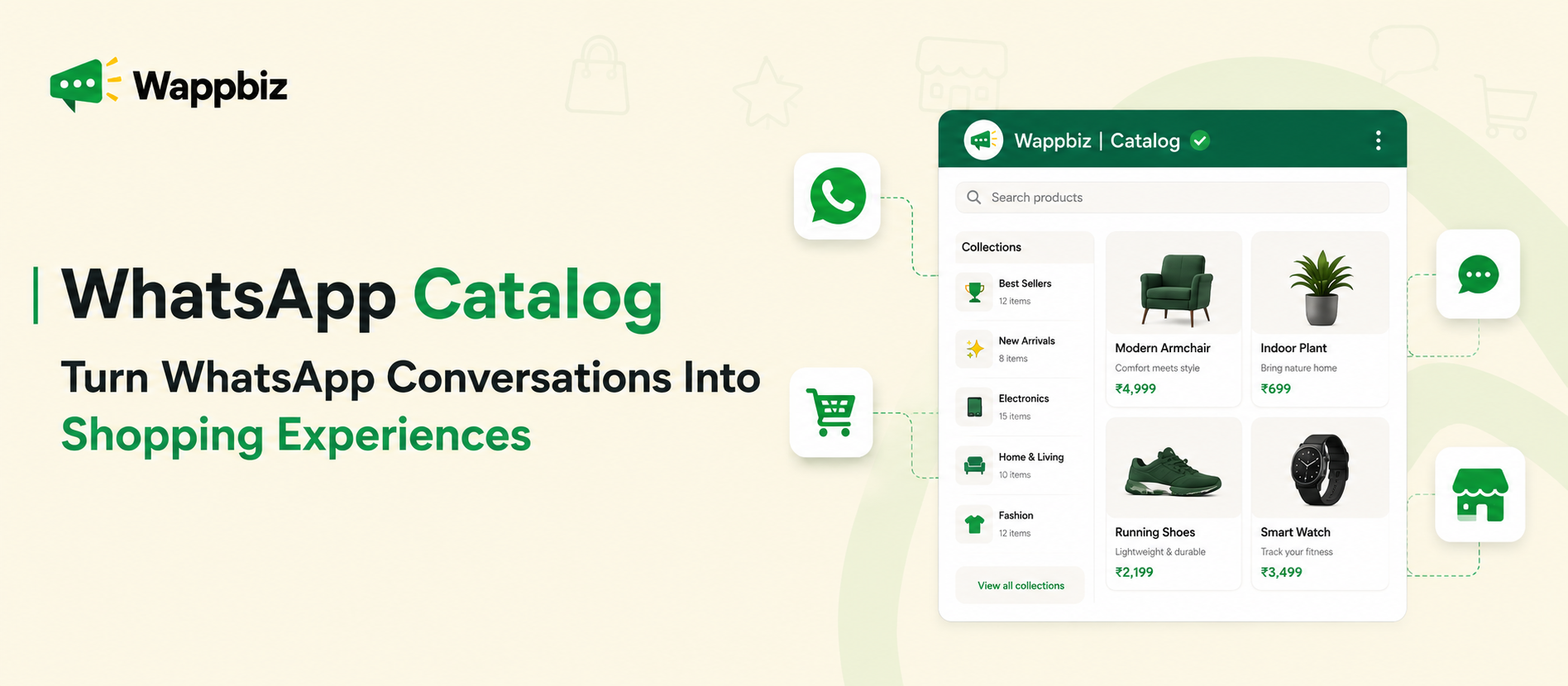

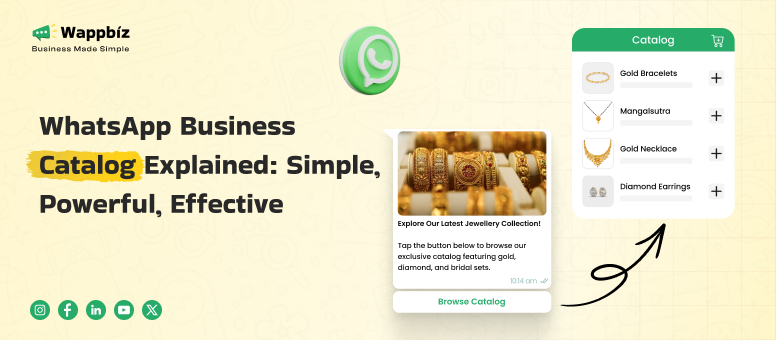
A whatsapp catalog helps small and medium businesses display products or services directly inside WhatsApp, so customers can browse, enquire, and take action without leaving the chat. It works like a simple digital storefront where businesses can add product images, descriptions, prices, links, and item details. For SMBs, especially in India, it reduces repeated manual sharing, improves product discovery, and makes WhatsApp conversations more sales-ready.
or many small businesses, WhatsApp is already the main customer communication channel. Customers ask for prices, images, availability, delivery timelines, and payment details. Without a catalog, teams repeatedly send the same product photos and descriptions manually.
A WhatsApp catalog solves this by organizing your products in one place. Instead of saying, “Please wait, I’ll send the images,” your business can simply share a catalog link or product card inside the chat.
What is WhatsApp Business Catalog?
A WhatsApp catalog is a product or service showcase available inside WhatsApp Business tools. Businesses can use it to list items with useful details such as product name, image, price, description, website link, and item code. According to WhatsApp, businesses can create a catalog to share products and services with customers, and customers can browse catalog items directly on WhatsApp.
For a small business, this means your WhatsApp profile becomes more than a contact point. It becomes a mini storefront. A customer can open your business profile, view your catalog, check available products, and message you about a specific item.
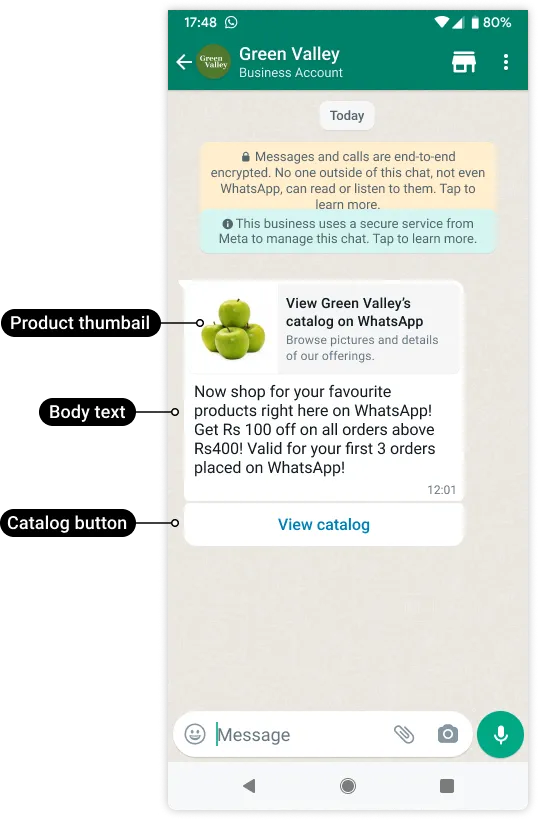
Customers can scroll, select and message you immediately — no website required, no third-party tool. Whether you’re a clothing retailer, bakery, electronics store or a service provider; the catalog helps you to present your products in an elegant way and impress your potential customers convenient way to use in an application.
Purpose of a Product Catalog in a Messaging App
The main purpose of a product catalog inside a messaging application is to reduce friction between interest and enquiry.
When customers ask about a product, they usually want quick answers:
- What does it look like?
- What is the price?
- Is it available?
- What are the options?
- Can I place an order?
- Is there a link to buy?
A WhatsApp catalog gives them this information inside the same chat environment.
For businesses, the catalog helps:
- Save time on repeated product sharing
- Improve customer browsing experience
- Present products professionally
- Organize product details in one place
- Make conversations more focused
- Support faster buying decisions
For example, a boutique owner can upload sarees, dresses, accessories, and festive collections. Instead of sending 20 photos manually to every customer, the owner can share the catalog and let customers browse.
Why Every Brand Should Use a WhatsApp Catalog
With over 2 billion users globally, WhatsApp is where conversations exist, and buying decisions are made. Here are why the catalog matters:
1. Direct Product Discovery
Customers no longer need to ask, “What do you offer?” With a WhatsApp Catalog, they can instantly browse your products or services in a structured, visually appealing format—similar to an online store but much faster and more accessible within their favorite app.
2. Instant Customer Engagement
When customers find something they like, they can reach out immediately via chat to ask questions, request additional product details or images, or even place an order. This real-time interaction shortens the sales cycle and enhances the shopping experience.
3. Mobile-First Shopping Experience
Since most customers already spend a significant amount of time on WhatsApp, showcasing your catalog directly in the app meets them where they are. This mobile-first approach increases convenience, drives engagement, and leads to higher conversion rates.
4. Built-in Trust and Professionalism
WhatsApp authenticates verified business accounts with a green checkmark, signaling credibility. Coupled with a clean, well-organized catalog, your business presents itself as professional and trustworthy—especially to new or first-time buyers.
How to Create Catalog in WhatsApp: Step by Step
Creating your product catalog is straightforward. Here’s how to do it
- Login to the WhatsApp Business API
- Navigate to Settings → Business Tools → Catalog.
- Tap Add Product or Service.
- Enter details:
- Product name
- Price
- Description
- Product image (use good lighting and angles)
- Optional link to the product page or the checkout
- Tap Save.
You can also include up to 500 products or services.
Pro Tip: Use WhatsApp Templates to automate replies like:
- This item is sold out.
- Here’s how to order.
- Avail 10% off on all orders over ₹999.
Templates allow you to respond immediately, making the buying journey seamless.
Which Types of Products Can You Add to a WhatsApp Catalog?
Small and medium businesses can add many types of products and services to a WhatsApp catalog, as long as they follow WhatsApp commerce and business policies.
Common examples include:
- Clothing and fashion accessories
- Jewellery and ornaments
- Beauty and skincare products
- Home decor items
- Furniture
- Packaged food items
- Gift hampers
- Electronics accessories
- Books and stationery
- Fitness products
- Courses and training programs
- Travel packages
- Real estate project brochures
- Healthcare appointment services
- Salon and spa services
- Consulting packages
Service businesses can also use catalogs.
1) For example, a dental clinic can list services like teeth cleaning, whitening, braces consultation, and root canal consultation.
2) A coaching institute can list courses, demo classes, crash courses, and test series.
3) A travel agency can list honeymoon packages, Dubai tours, weekend trips, and pilgrimage packages.
4) The key is to present each item clearly so customers understand what they are enquiring about.
Benefits of Using WhatsApp Catalogs for Online Sellers
WhatsApp catalogs offer several benefits for online sellers and small businesses.
1. Faster Product Discovery
Customers can browse products without waiting for manual replies.
This improves response speed and reduces repetitive questions.
2. Better Customer Experience
A catalog feels more organized than random image forwarding.
Customers can view product details, ask about specific items, and make informed decisions.
3. Reduced Manual Work
Sales teams do not have to send the same photos and descriptions again and again.
They can share catalog items directly.
4. Higher Trust
A well-maintained catalog makes your business look more professional.
Clear product images, pricing, and descriptions reduce confusion.
5. Better Sales Conversations
When customers enquire about a specific catalog item, the conversation becomes more focused.
Your team knows exactly what the customer is interested in.
6. Easier Campaign Promotion
You can share catalog items in festive campaigns, product launches, seasonal offers, and re-engagement messages.
7. Improved Lead Quality
Customers who browse a catalog and enquire about a product usually have clearer intent.
This helps sales teams prioritize better.
How to Promote Your WhatsApp Catalog to Drive Sales
Having a catalog is great. But the smart promotion of it is what gets real results. Here’s how you can make your catalog do the heavy lifting:
Start WhatsApp Campaigns that Target Specific Needs
Send curated product messages to specific customer segments using data like purchase history and preferences. Personalize content with strong visuals and consistent brand voice for higher engagement. For example,
- Just in: Summer arrivals. Tap to browse.
- Best-selling gadgets under ₹1,999. See the collection now.
Leverage WhatsApp Broadcast, or a WhatsApp Business API provider such as Wappbiz to scale up these campaigns and avoid spamming everyone.
Run WhatsApp Ads That Click to Catalog
Meta allows you to run Click-to-WhatsApp Ads from Facebook and Instagram, advertising your WhatsApp’s presence on their main platforms with the new Click-to-WhatsApp ads. The ads lead customers behind the scenes with a direct connection to a WhatsApp chat for the page of your store where your catalog link is, and your shop itself, where you can highlight products.
For example:
- Love minimal jewelry? Tap to see our latest handcrafted pieces.
This creates a seamless ad-to-purchase journey.
Build Automated Product Flows
Use WhatsApp Flows to guide your customers:
- Tap 1 to view skincare.
- Tap 2 to speak to a stylist.
- Tap 3 to get discounts.
With flows, you build an interactive product experience inside chat, reducing manual work and improving customer delight.
Send Catalog Links via Templates
Send product collections along with your approved WhatsApp Templates with campaigns, retargeting, or cart recovery messages.
WhatsApp Business Catalog Examples
Example 1: Fashion Boutique Boosts Weekly Sales
A Mumbai-based boutique implemented their WhatsApp Business Catalog and integrated it with WhatsApp Ads. Within just one month, they achieved the following results:
| Metric | Result |
|---|---|
| Weekly Orders | +35% |
| Customer Queries | -50% |
This shows a significant increase in sales and a decrease in customer service workload.
Example 2: D2C Skincare Brand Uses Flows
A skincare startup utilized WhatsApp Flows to provide product recommendations based on customer skin types. The flow culminated in displaying a personalized product catalog. The conversion rate achieved was 27%.
| Metric | Result |
|---|---|
| Conversion Rate | 27% |
This demonstrates the effectiveness of personalized recommendations through WhatsApp Flows.
Example 3: Electronics Reseller Goes Pro
An electronics reseller conducting WhatsApp campaigns employed product templates linked to their catalog. With automated one-click replies, order confirmations became instant, resulting in an increase in repeat customers.
| Metric | Result |
|---|---|
| Order Confirmation | Instant |
| Repeat Customers | Increased |
This illustrates the efficiency and customer retention achieved through the use of product templates.
Best Practices for a High-Converting WhatsApp Catalog
To make your catalog truly work, follow these tips:
- Use high-resolution, lightweight images. Make sure your product visuals are mobile-optimized.
- Be clear and concise. Avoid jargon in your product names and descriptions.
- Update regularly. Remove out-of-stock items or expired offers.
- Group products smartly. Use categories or sequences for easier browsing.
- Include strong CTAs. Examples:
- Tap to order now
- Message for size guide
- Ask us anything about this product
Also, track performance using Meta’s Business Manager or third-party dashboards.
Conclusion
In today’s mobile-first environment, all that matters is speed, simplicity and personalization to win sales. The WhatsApp Business Catalog lets you bring all three together in the place where your customers already hang out. By integrating your catalog with Flows, Campaigns, WhatsApp Ads, and Templates, you can build compelling, immersive shopping experiences that feel personal, but at scale.
So, no need to send just product images one by one. Just set up your catalog, smartly automate and let’s get selling like a pro – all on your WhatsApp.

FAQ’s
What is a WhatsApp Business Catalog?
It’s a built-in product listing feature in WhatsApp Business that lets you showcase your offerings with images, prices, and descriptions.
How does the WhatsApp Catalog help businesses?
It improves product visibility, allows easy sharing of products in chat, and simplifies the buying journey for customers.
Can I manage my catalog using Wappbiz?
Yes, Wappbiz makes it easy to upload, manage, and sync your catalog through WhatsApp Business API.
Is the WhatsApp Business Catalog free to use?
Yes, the catalog feature is free with WhatsApp Business, but for automation and scale, using it with the API via providers like Wappbiz is recommended.
Can customers buy directly from the catalog?
Customers can browse and click to chat about any item. With payment and automation integrations, you can complete the sale directly via WhatsApp.
Can I accept payments through WhatsApp catalogs?
Yes, only if you have integrated with Payment Gateways or by sharing payment links. WhatsApp catalogs themselves don’t process payments
How to add Catalog in WhatsApp Business?
To add a catalog in WhatsApp Business, go to Settings > Business Tools > Catalog and then add your products or services with images, descriptions, and prices.