
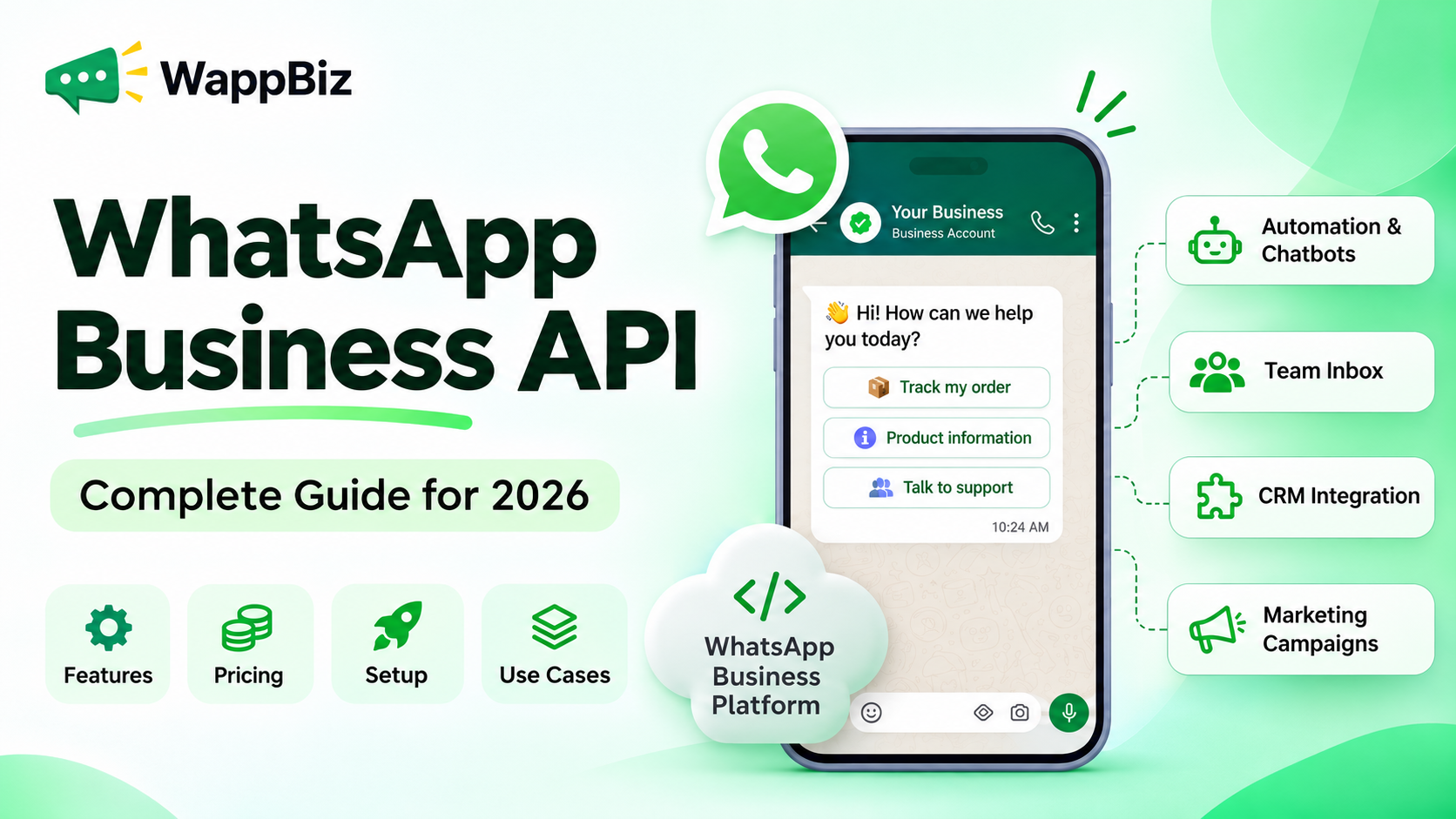
WhatsApp Business API, officially known as the WhatsApp Business Platform, is Meta’s business messaging solution that enables companies to communicate with customers at scale using automation, integrations, and programmable messaging.
Unlike the standard WhatsApp Business app, the API allows businesses to connect WhatsApp with customer relationship management (CRM) systems, automated workflows, chatbots, and customer support tools.
Businesses can use it to send order confirmations, manage customer inquiries, generate leads, deliver promotional campaigns, and automate conversations while maintaining a consistent customer experience.
But how does the WhatsApp Business API work? Is it free? What does it cost in 2026, and how can businesses get started?
This guide covers everything you need to know, from Meta’s official WhatsApp Business Platform to pricing, integration options, and practical business applications.
What Is WhatsApp Business API?
The WhatsApp Business API is an application programming interface that enables businesses to send and receive WhatsApp messages through connected business software rather than relying solely on a mobile application.
It provides the technical infrastructure for integrating WhatsApp messaging into business operations. Unlike the WhatsApp Business app, which offers built-in tools for everyday customer communication, the API enables more advanced capabilities through software integrations.
It is designed for companies that need more advanced messaging capabilities, including:
- Automated customer communication
- WhatsApp marketing campaigns
- AI-powered chatbots
- Multi-agent customer support
- Transactional notifications
- CRM and business software integrations
- Lead generation and qualification
- Customer engagement analytics
For example, an e-commerce company can connect its order management system with the API to automatically notify customers when an order is confirmed, dispatched, or delivered.
Similarly, a real estate business can use WhatsApp automation to collect property preferences, qualify inquiries, and route potential buyers to the appropriate sales representative.
The API provides the messaging infrastructure. A connected business platform can add a visual interface, campaign management, contact management, automation, and reporting.
WhatsApp Business API vs. WhatsApp Business Platform: Are They Different?
No. WhatsApp Business API and WhatsApp Business Platform generally refer to the same business messaging offering from Meta. WhatsApp Business API is the established term widely used by businesses, marketers, developers, and messaging solution providers.
WhatsApp Business Platform is Meta’s official product name. The terminology emphasizes that the offering extends beyond basic message delivery to support a broader ecosystem of business communication, automation, integrations, and customer engagement.
| Term | Meaning |
|---|---|
| WhatsApp Business API | Commonly used name for Meta’s programmatic WhatsApp messaging capabilities |
| WhatsApp Business Platform | Official Meta product name for its business messaging offering |
| WhatsApp Cloud API | Meta-hosted API implementation used to integrate WhatsApp messaging into business systems |
| WhatsApp Business App | Separate mobile-first application for managing business conversations |
Businesses looking for WhatsApp Business API access, automation, or integrations are generally exploring the capabilities of the WhatsApp Business Platform. The important distinction is between the WhatsApp Business app and the API-based platform.
WhatsApp Business API vs. WhatsApp Business App
Both products help businesses communicate with customers, but they serve different operational needs.The WhatsApp Business app is suitable for businesses that manage relatively simple conversations and do not require extensive software integrations.
The WhatsApp Business Platform is designed for companies that need programmable messaging, connected systems, and communication workflows that can scale.
| Feature | WhatsApp Business App | WhatsApp Business API |
|---|---|---|
| Primary purpose | Everyday business conversations | Scalable business communication |
| Setup | Download and register | Direct API or provider onboarding |
| Automation | Basic built-in tools | Advanced workflows through integrations |
| AI chatbots | Not a general-purpose API chatbot solution | Supported through connected software |
| Team collaboration | Basic linked-device capabilities | Shared team inboxes through software |
| CRM integration | Limited | Extensive integration possibilities |
| Marketing campaigns | App-based capabilities | Approved template-based campaigns |
| Technical expertise | Usually not required | Required for direct integration |
| Pricing | Free app with optional paid offerings | Usage-based messaging and possible software fees |
Which should you choose?
Choose the WhatsApp Business app if you manage a small number of customer conversations manually. Consider the WhatsApp Business API when you need to automate repetitive tasks, manage large volumes of conversations, connect business systems, or coordinate messaging across departments.
How Does WhatsApp Business API Work?
The WhatsApp Business API connects a company’s messaging workflows with Meta’s WhatsApp infrastructure. Instead of responding to every message through a mobile application, businesses can use connected systems to process messages, trigger automated responses, and route conversations. A typical workflow looks like this:
- Customer initiates contact: A customer sends a message through a website button, QR code, WhatsApp link, or Click-to-WhatsApp advertisement.
- WhatsApp processes the message: Meta’s infrastructure receives the message and provides relevant events to the connected system.
- Automation or an agent responds: A chatbot, automated workflow, or human representative handles the inquiry.
- Business systems are updated: Connected software can capture leads, update customer records, or trigger operational processes.
- Performance is monitored: The business tracks messaging outcomes using available analytics and reporting tools.
For instance, a customer asking about a product could receive an automated response with relevant options, provide their requirements, and be transferred to a sales representative when needed. This process helps businesses manage communication more consistently without requiring every interaction to be handled manually.
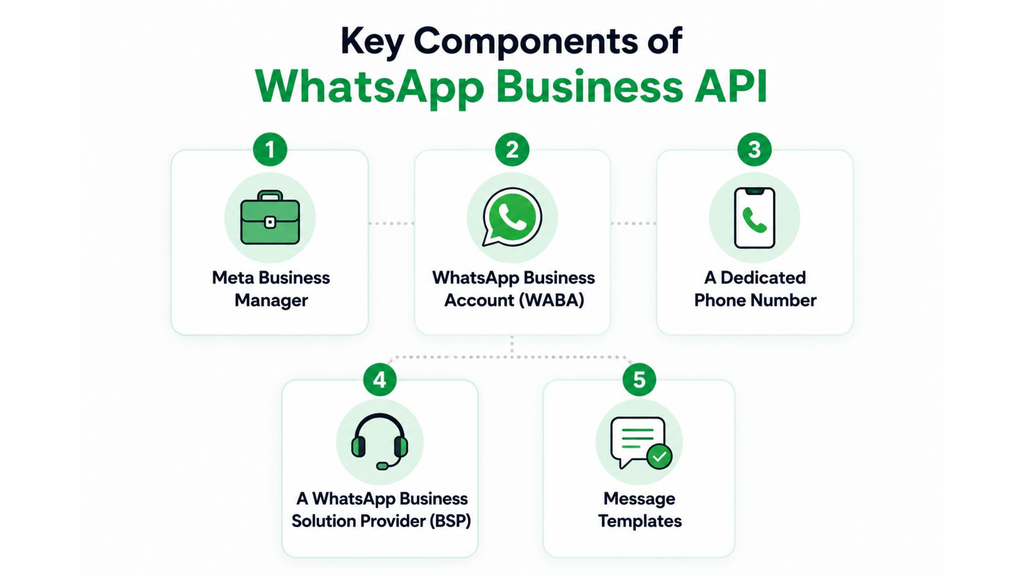
Key Features of WhatsApp Business API
1. Automated WhatsApp Messaging
Businesses can automate repetitive communication such as order confirmations, appointment reminders, payment updates, and customer follow-ups. Automation helps deliver timely information while reducing manual work.
2. WhatsApp AI Chatbots
The API can be connected with AI-powered chatbots to handle common customer questions, collect lead details, and assist users with routine requests. An AI chatbot may answer questions using an approved business knowledge base and escalate complex conversations to a human representative when necessary.
3. WhatsApp Message Templates
Message templates are structured messages used for approved business-initiated communication. Depending on their purpose, templates may be categorized as marketing, utility, or authentication messages. Businesses can use approved templates for promotions, transaction updates, reminders, and account verification.
4. Shared Team Inbox
When integrated with suitable software, the API can support a shared WhatsApp inbox. This enables multiple team members to access relevant conversations, collaborate, and assign inquiries to appropriate departments.
5. Interactive Messages
WhatsApp supports interactive messaging elements such as reply buttons, lists, and other structured customer experiences. These features help customers navigate options without typing lengthy responses.
6. Rich Media Communication
Businesses can share supported images, videos, documents, and other media formats. For instance, a travel company might share itinerary documents, while a retailer could provide product images.
7. WhatsApp Marketing Campaigns
The API supports approved business-initiated marketing communication to eligible customers. Businesses can use it for product announcements, relevant offers, event invitations, and re-engagement campaigns. Marketing messages must comply with Meta’s messaging policies and applicable consent requirements.
8. CRM and Third-Party Integrations
Companies can connect messaging workflows with CRM platforms, customer databases, e-commerce software, and internal business systems. Available integrations depend on the API implementation and software provider.
9. Messaging Analytics
WhatsApp API-based platforms can help businesses understand message status, customer engagement, and campaign performance. The exact reporting capabilities depend on the software used.
WhatsApp Business API Pricing in 2026
WhatsApp Business API pricing is primarily based on delivered messages, their categories, and the recipient’s market. Meta introduced per-message pricing for applicable WhatsApp Business Platform messages on July 1, 2025.
Businesses accessing Meta’s API directly do not pay an additional Meta platform-access fee, but messaging charges and their own technology or development costs may apply. Businesses using third-party messaging software may also pay subscription, onboarding, or service fees.
WhatsApp Business API Message Categories
| Message category | Common use case |
|---|---|
| Marketing | Promotional offers, product launches, re-engagement |
| Utility | Order updates, transaction confirmations, reminders |
| Authentication | One-time passwords and identity verification |
| Service | Customer support and responses to incoming inquiries |
Meta’s current FAQ states that, effective October 1, 2026, service messages are also billed on a per-message basis after the first 1,000 free service messages per business phone number each month. Marketing, utility, and authentication messages have category- and market-specific rates.
Meta also publishes additional pricing rules, including eligible free entry-point interactions and volume-based pricing for certain categories. For the latest applicable rates, refer to Meta’s official WhatsApp Business Platform pricing page and its Business Platform FAQ.
WhatsApp Business API Pricing in India
Businesses in India should consider three potential cost components:
- Meta messaging charges: Based on message categories, delivery, and applicable India-market rates.
- Messaging platform charges: Subscription or service fees, if using third-party software.
- Implementation and integration costs: Depending on technical requirements and customization.
For example, a business sending promotional messages and transactional notifications may have different messaging costs for each category. The total monthly expense depends on message volume, recipient markets, category mix, and the selected software provider. Rather than comparing providers on subscription cost alone, businesses should evaluate the total expected monthly cost.
Is WhatsApp Business API Free?
The WhatsApp Business API is not an entirely free business messaging solution. Meta does not charge an additional fee merely to access the platform directly, but usage-based messaging charges may apply.
According to Meta’s October 2026 service-message update, the first 1,000 service messages per business phone number each month are free, with charges applying afterward. Other messaging categories may incur charges according to the applicable rate card and pricing exemptions.
Development, hosting, automation software, or solution-provider fees can also contribute to the total cost. A business evaluating free WhatsApp Business API access should therefore distinguish between free platform access, free messaging allowances, and paid software services.
How to Set Up a WhatsApp Business API Account
Businesses can access the WhatsApp Business Platform directly or through a compatible solution provider. The general setup process involves the following steps.
Step 1: Prepare Your Meta Business Account
Create or access your Meta business portfolio and ensure the required business details are available. Additional verification requirements may apply depending on the account and intended capabilities.
Step 2: Choose Your Integration Method
Select the setup that matches your technical resources.
Direct integration: Suitable for businesses with developers who can configure API access, authentication, webhooks, and integrations.
Partner-assisted integration: Suitable for businesses that want a prebuilt interface and guided onboarding.
Step 3: Connect a Business Phone Number
Register an eligible phone number for WhatsApp Business Platform messaging. Number eligibility, migration, and coexistence options may vary depending on the existing WhatsApp setup.
Step 4: Configure Your Messaging Environment
For direct integration, developers typically configure the required credentials, access permissions, webhooks, and API requests. Businesses using a messaging platform may complete much of this through the provider’s onboarding process.
Step 5: Create Message Templates
Prepare the approved templates needed for business-initiated messaging. Templates should accurately reflect the intended message category and comply with Meta’s policies.
Step 6: Test the Messaging Experience
Test incoming messages, outgoing templates, automated replies, error handling, and human support routing.
Step 7: Launch and Monitor
Start with manageable messaging volumes, review message quality, and refine workflows based on customer engagement and feedback. For technical implementation instructions, consult Meta’s developer documentation.
WhatsApp Business API for Bulk Messaging
The WhatsApp Business API can support business messaging campaigns at scale, but it is not an unrestricted bulk messaging tool. Businesses must follow Meta’s policies, including consent requirements, template rules, messaging limits, and quality standards.
A compliant bulk messaging workflow generally involves:
- Collecting the appropriate customer opt-in.
- Segmenting contacts by relevant interests or requirements.
- Creating suitable message templates.
- Sending messages within the account’s applicable limits.
- Monitoring delivery and engagement.
- Providing clear opt-out options.
For example, an education provider might notify interested students about an upcoming admissions deadline. A retailer might send a relevant promotional offer to customers who have agreed to receive marketing communication. The objective should be relevant, expected communication rather than simply maximizing message volume.
WhatsApp Business API Integration: What Can You Connect?
One of the platform’s biggest advantages is its ability to work with business software.
Depending on the implementation, WhatsApp messaging can be integrated with:
- CRM systems: Capture inquiries, update lead records, and coordinate sales conversations.
- E-commerce platforms: Send purchase updates and support customer inquiries.
- Marketing automation: Trigger relevant communication based on customer actions.
- Customer support software: Route messages and track support requests.
- AI chatbot platforms: Automate conversational interactions and lead qualification.
- Internal business systems: Connect messaging to booking, order, or notification workflows.
Before choosing an integration, businesses should consider the required data fields, automation logic, security requirements, and ongoing maintenance.
WhatsApp Business API Use Cases by Industry
E-commerce and Retail
Online retailers can use WhatsApp to send order notifications, answer product questions, and share relevant promotional messages. For example, customers can receive shipping updates without having to repeatedly visit an order-tracking page.
Real Estate
Property businesses can collect customer preferences, qualify inquiries, arrange site visits, and send relevant property information. Automated qualification can help sales teams prioritize inquiries based on customer requirements.
Education
Education providers can manage admission inquiries, share course information, remind interested students about deadlines, and coordinate follow-up conversations.
Healthcare
Healthcare organizations can use approved messaging workflows for appointment reminders, general administrative notifications, and customer support, subject to privacy requirements and applicable policies.
Travel and Hospitality
Travel businesses can share booking confirmations, itinerary information, reminders, and customer service updates.
Professional Services
Service providers can use WhatsApp to manage appointment requests, collect inquiry details, and guide customers toward the appropriate team.
How to Choose a WhatsApp Business API Provider
A WhatsApp Business API provider should offer more than basic messaging connectivity. Businesses should evaluate how well the provider supports their operational requirements.
Consider the following factors:
Ease of onboarding: Does the platform simplify account setup and implementation?
Automation capabilities: Can you build workflows for inquiries, reminders, follow-ups, and customer engagement?
Team collaboration: Does the software support shared inboxes, conversation assignment, and human escalation?
Integration flexibility: Can it connect with your existing business tools?
Pricing transparency: Are Meta messaging fees and provider charges clearly explained?
Analytics and reporting: Can teams monitor messaging performance and identify improvement opportunities?
Support and reliability: Is technical assistance available when your team needs it?
Compliance: Does the solution help businesses implement appropriate messaging permissions and workflows?
The right provider depends on the business’s technical resources, communication volume, budget, and automation requirements.
How WappBiz Helps Businesses Use WhatsApp More Effectively
For businesses that want to move beyond manual WhatsApp communication, WappBiz brings messaging, automation, and customer engagement tools into a unified workflow.
Rather than building every conversation flow from scratch, businesses can explore capabilities such as:
- Shared Team Inbox: Coordinate WhatsApp conversations across sales and customer support teams.
- No-Code Chatbot: Create automated conversation flows for common inquiries and lead collection.
- AI Chatbot: Handle routine conversations and support customers using configured business knowledge.
- WhatsApp Campaigns: Organize relevant customer communication using approved templates.
- Drip Campaigns: Build structured follow-up sequences based on customer interactions.
- Click-to-WhatsApp Ads: Connect advertising campaigns with WhatsApp-based lead conversations.
These capabilities can help teams reduce repetitive work, manage inquiries more consistently, and create more structured customer communication processes.
Explore WappBiz to see how WhatsApp automation can support your business workflows.
Frequently Asked Questions About WhatsApp Business API
1. What is WhatsApp Business API?
WhatsApp Business API is Meta’s programmable messaging solution for businesses. Officially called the WhatsApp Business Platform, it enables companies to integrate WhatsApp with software for automation, notifications, customer support, and business messaging.
2. Is WhatsApp Business API the same as WhatsApp Business Platform?
Yes. WhatsApp Business Platform is Meta’s official product name, while WhatsApp Business API remains a commonly used term for the same business messaging offering.
3. Is WhatsApp Business API free?
Direct access to Meta’s platform does not have an additional Meta access fee. However, message delivery charges, software subscriptions, and implementation costs may apply. As of October 2026, Meta provides a monthly allowance of 1,000 free service messages per business phone number.
4. How much does WhatsApp Business API cost in India?
WhatsApp Business API pricing in India depends on Meta’s applicable message rates, message categories, monthly usage, and any additional platform or implementation fees. Businesses should consult Meta’s current India rate card for exact charges.
5. Can I use WhatsApp Business API for bulk messaging?
Yes, businesses can send approved campaigns at scale within applicable account limits. However, messaging must comply with consent requirements, template approval rules, and Meta’s messaging policies.
6. Do I need coding skills to use WhatsApp Business API?
Not necessarily. Direct integration generally requires developer expertise, but partner-assisted platforms can provide no-code interfaces for common business messaging workflows.
7. Can WhatsApp Business API connect with a CRM?
Yes. The API can be integrated with compatible CRM platforms and other business systems, depending on the implementation and available integration tools.
8. Can multiple employees use one WhatsApp Business API number?
Yes. When connected to suitable shared inbox software, multiple team members can manage conversations associated with a business messaging number.
9. What is the 24-hour customer service window?
The customer service window begins when a user messages the business and resets with subsequent user messages. During this period, businesses can send permitted free-form responses. Outside the window, business-initiated messages generally require approved templates.
10. How do I get a WhatsApp Business API account?
You can register through Meta’s direct integration process or use a compatible messaging solution provider. Setup involves business account configuration, an eligible phone number, messaging credentials, and testing.
11. What is the difference between WhatsApp Cloud API and WhatsApp Business API?
WhatsApp Business API is a general term for the platform’s programmable messaging capabilities. Cloud API is Meta’s hosted API implementation, allowing developers to integrate WhatsApp messaging without running the legacy API infrastructure themselves.
12. Is WhatsApp Business API suitable for small businesses?
Yes, provided the business needs capabilities that justify the costs and setup. Small businesses with simple messaging needs may find the WhatsApp Business app sufficient, while growing teams may benefit from automation and integrations.
Final Thoughts: Is WhatsApp Business API Right for Your Business?
The WhatsApp Business API offers businesses a way to move from individual, manually managed conversations toward structured, scalable customer communication.
Whether the goal is lead generation, marketing automation, customer support, or transactional messaging, the WhatsApp Business Platform provides the technical foundation for connected messaging experiences.
The best implementation depends on your team’s needs, existing software, and available resources.
Businesses looking for a simpler way to manage WhatsApp conversations and automation can explore WappBiz to evaluate how a connected messaging platform fits their customer engagement strategy.
Last reviewed: November 2026.