

Collect Payments Effortlessly with Zoho Payments & WhatsApp
Turn customer conversations into payment opportunities. Connect Zoho Payments with WappBiz to share secure payment links, simplify payment requests, and streamline customer communication through WhatsApp.
Powering Customer Conversations for Growing Brands













Why Integrate Zoho Payments with WappBiz?
Share Secure Payment Links
Share Zoho Payments links through WhatsApp, giving customers a convenient way to complete transactions.
Streamline Payment Workflows
Connect payment-related communication with supported WhatsApp automation workflows.
Multiple Payment Options
Enable customers to pay using supported methods such as UPI, cards, net banking and wallets.
Simplify Payment Follow-Ups
Communicate payment reminders for pending invoices, purchases, bookings and service requests.
Improve Customer Convenience
Let customers access payment requests directly from a familiar messaging channel.
Secure Payment Experience
Direct customers to Zoho Payments checkout without requesting sensitive payment credentials over WhatsApp.
How to Integrate Zoho Payments with WappBiz
Step 1 — Open WappBiz Integrations
Log in to your WappBiz account and navigate to the Integrations section.
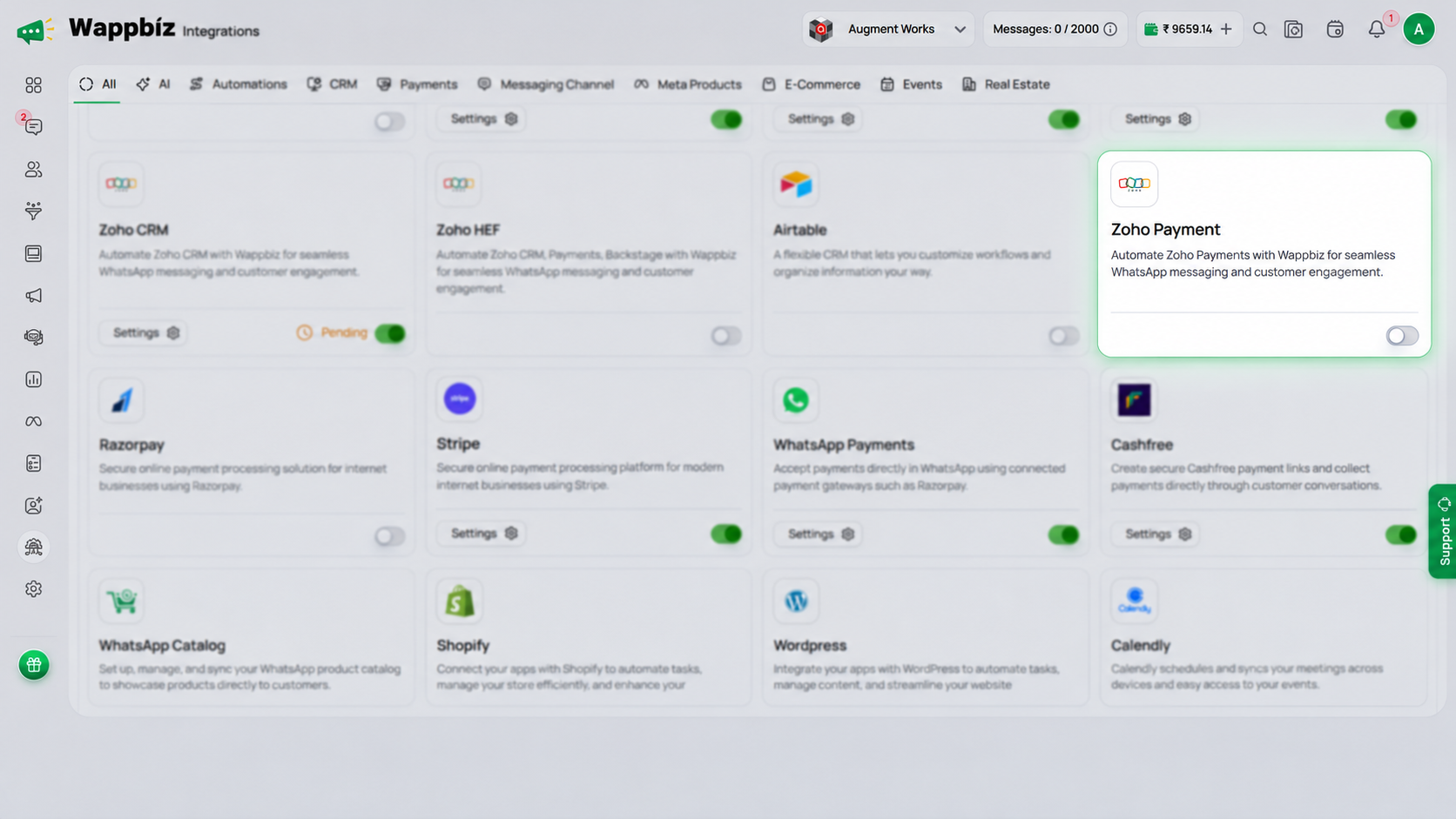
Step 2 — Select and Configure Zoho Payments
Find Zoho Payment in the integrations library and select it to begin setup.
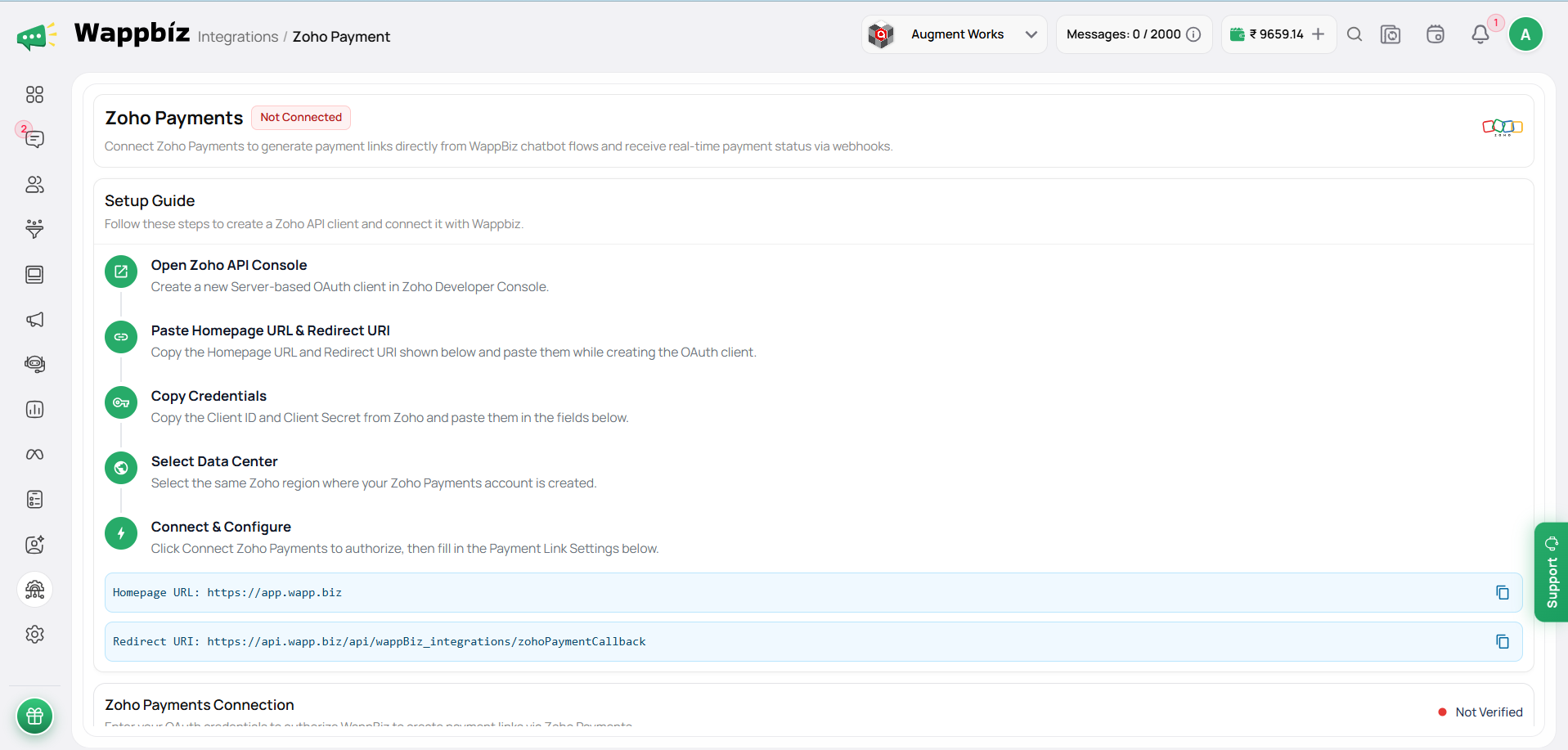
Step 3 — Activate & Start Collecting Payments
Enable the integration and start using Zoho Payment with your supported WappBiz workflows.
You're All Set!
Connect customer conversations with convenient payment requests. Share payment links, simplify follow-ups, and improve the payment experience with WappBiz.

Frequently Asked Questions
Zoho Payments integration connects payment-related workflows with WhatsApp communication through WappBiz. It helps businesses share payment links, communicate payment requests, and simplify customer engagement.
Yes. Businesses can share Zoho Payments links through WhatsApp, allowing customers to open the payment link and complete their transactions through the payment provider.
Zoho Payments supports UPI, credit cards, debit cards, net banking, wallets, and other eligible payment methods. Availability depends on the merchant’s account configuration and region.
Yes. Businesses need an eligible Zoho Payments merchant account with the necessary verification, configuration, and permissions to connect supported payment workflows.
Yes. WappBiz enables businesses to send payment-related reminders and follow-up messages through WhatsApp, subject to customer consent, applicable messaging policies, and template requirements.
Yes. Zoho Payments is a payment processing solution, while Zoho CRM helps businesses manage customer relationships, leads, and sales activities. WappBiz offers integrations for both products.