

Integrate Google Calendar with WhatsApp using Wappbiz
Automate your scheduling, send timely reminders, and keep your team perfectly aligned. Reduce missed appointments and ensure every interaction is handled efficiently in real time.
Trusted by Founders & Marketers
Join thousands of founders and marketers who trust Wappbiz to drive engagement, automation, and growth effortlessly!


























Why Integrate Google Calendar with Wappbiz?
Streamlined Scheduling
Sync your appointments directly with Wappbiz for automated scheduling and real-time updates via WhatsApp.
Customer Communication
Send personalized reminders and updates to clients through WhatsApp, reducing no-shows and improving engagement.
Increased Efficiency
Automate event notifications and easily manage your calendar, saving time and ensuring smooth operations.
Better Team Coordination
lets the entire team aligned with shared calendar updates and WhatsApp notifications. Ensures real-time schedule visibility, reducing miscommunication and delays.
Real-Time Updates & Alerts
Get instant updates for new bookings, cancellations, or changes. Stay informed and take quick action without constantly checking multiple systems.
Seamless Workflow Automation
Connect your scheduling with automated workflows like reminders, follow-ups, and confirmations. Reduce manual effort and create a smooth, end-to-end communication process.
Simple Steps to Integrate Google Calendar with WappBiz
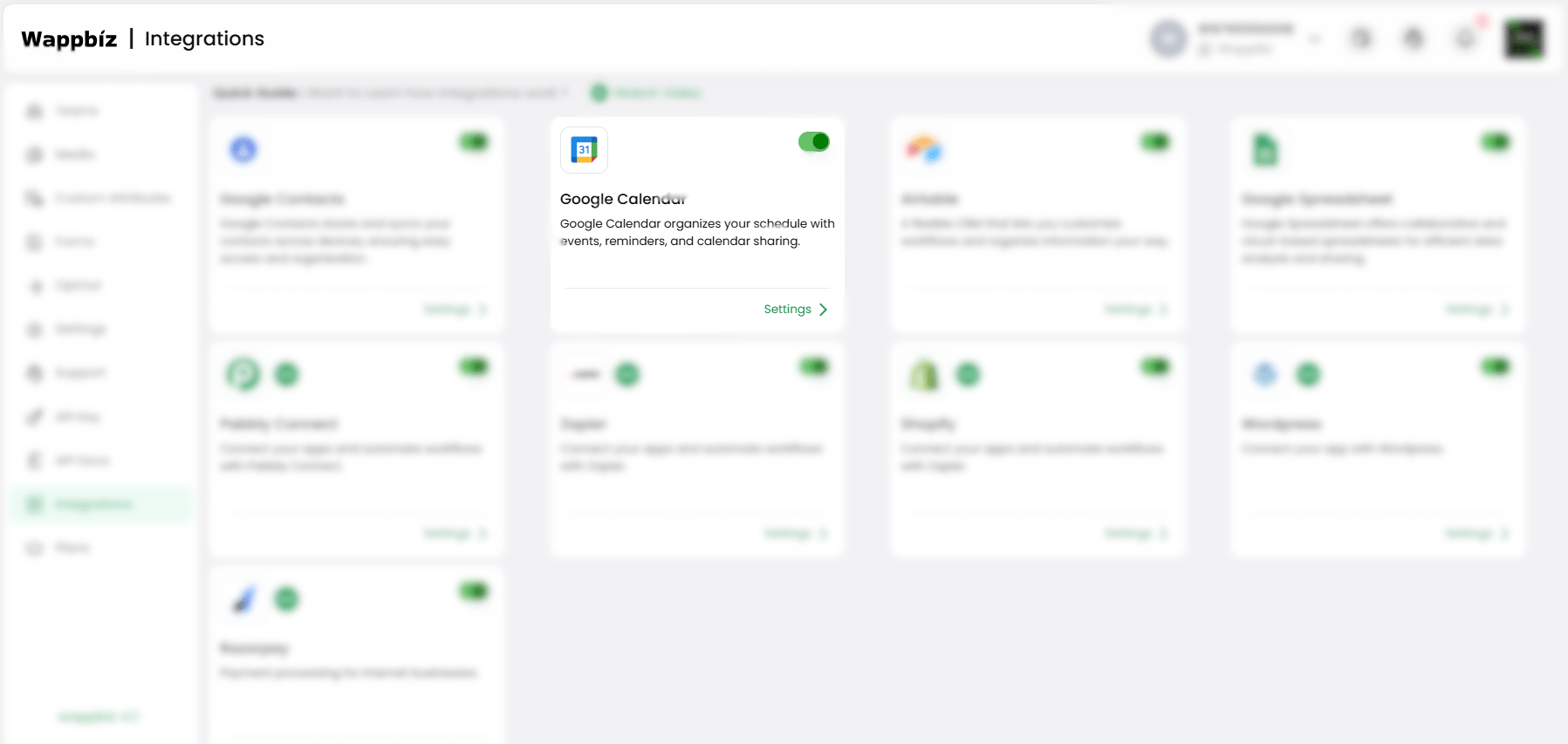
Step 1 : Enable Google Calendar
Navigate to Manage > Integrations in your WappBiz account.
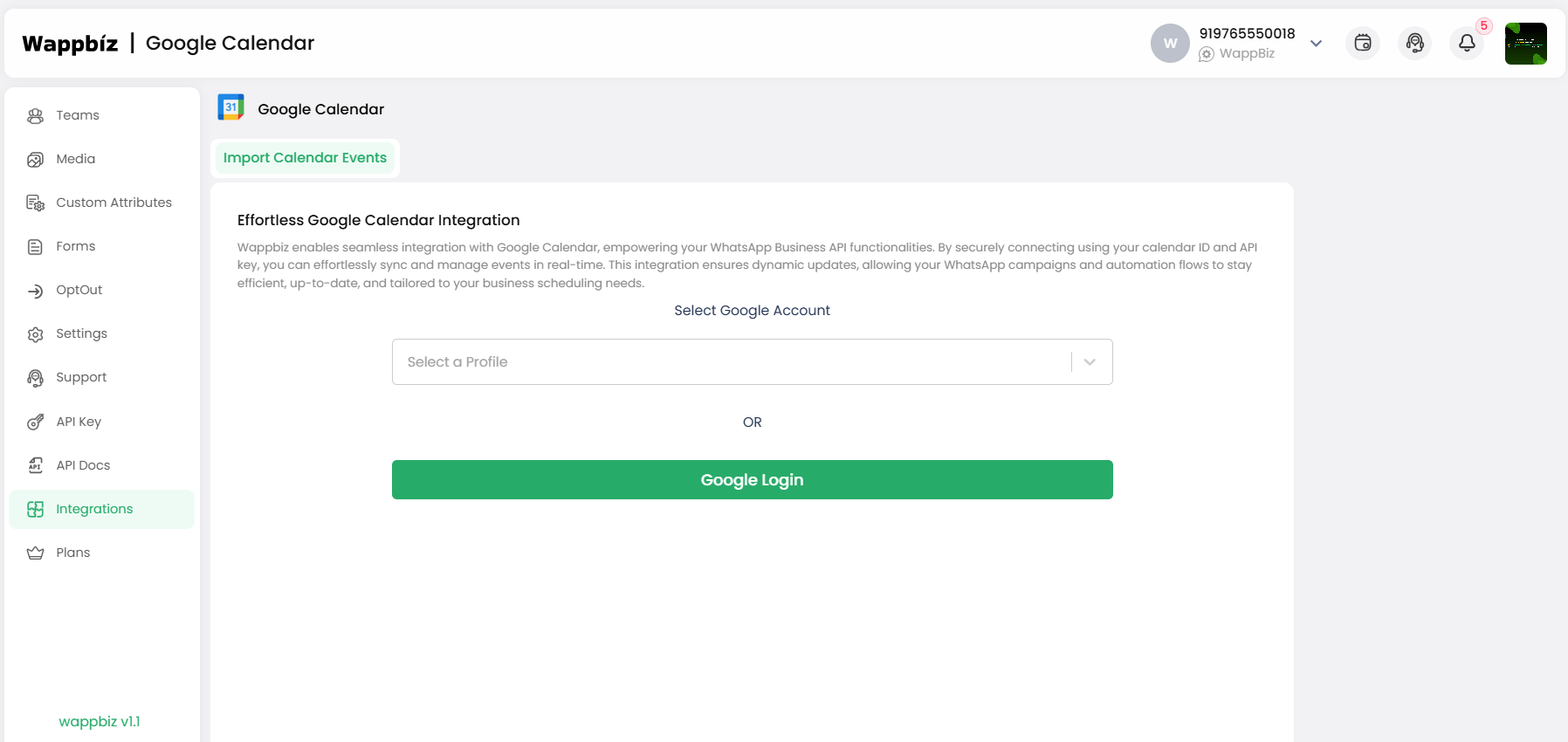
Step 2 : Select Google Account or Login with Google
Choose your Google Account or login with Google if prompted
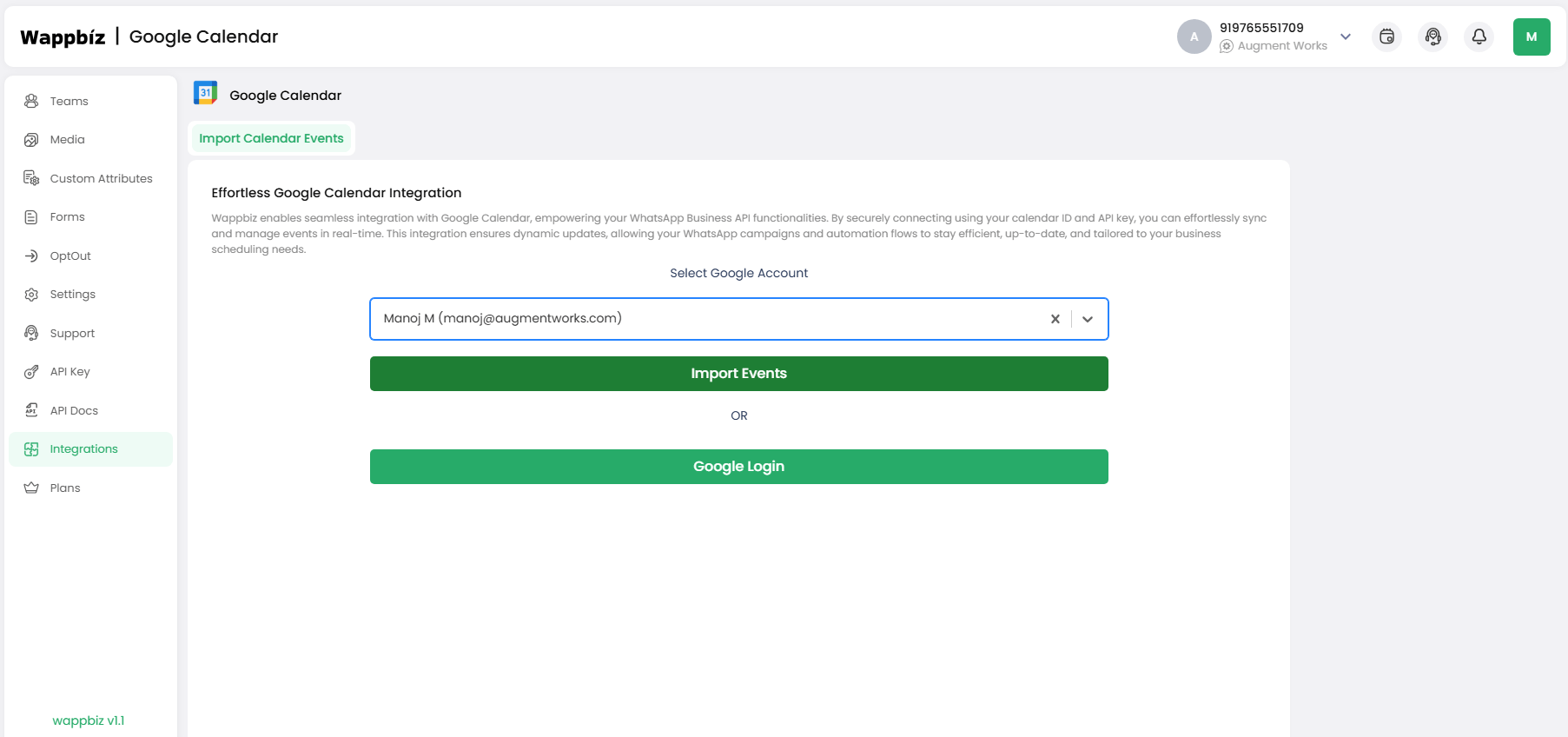
Step 3 : Allow Permissions and Import All Events
- Grant the necessary permissions for WappBiz to access your Google Calendar.
- Choose to import all events from your calendar.
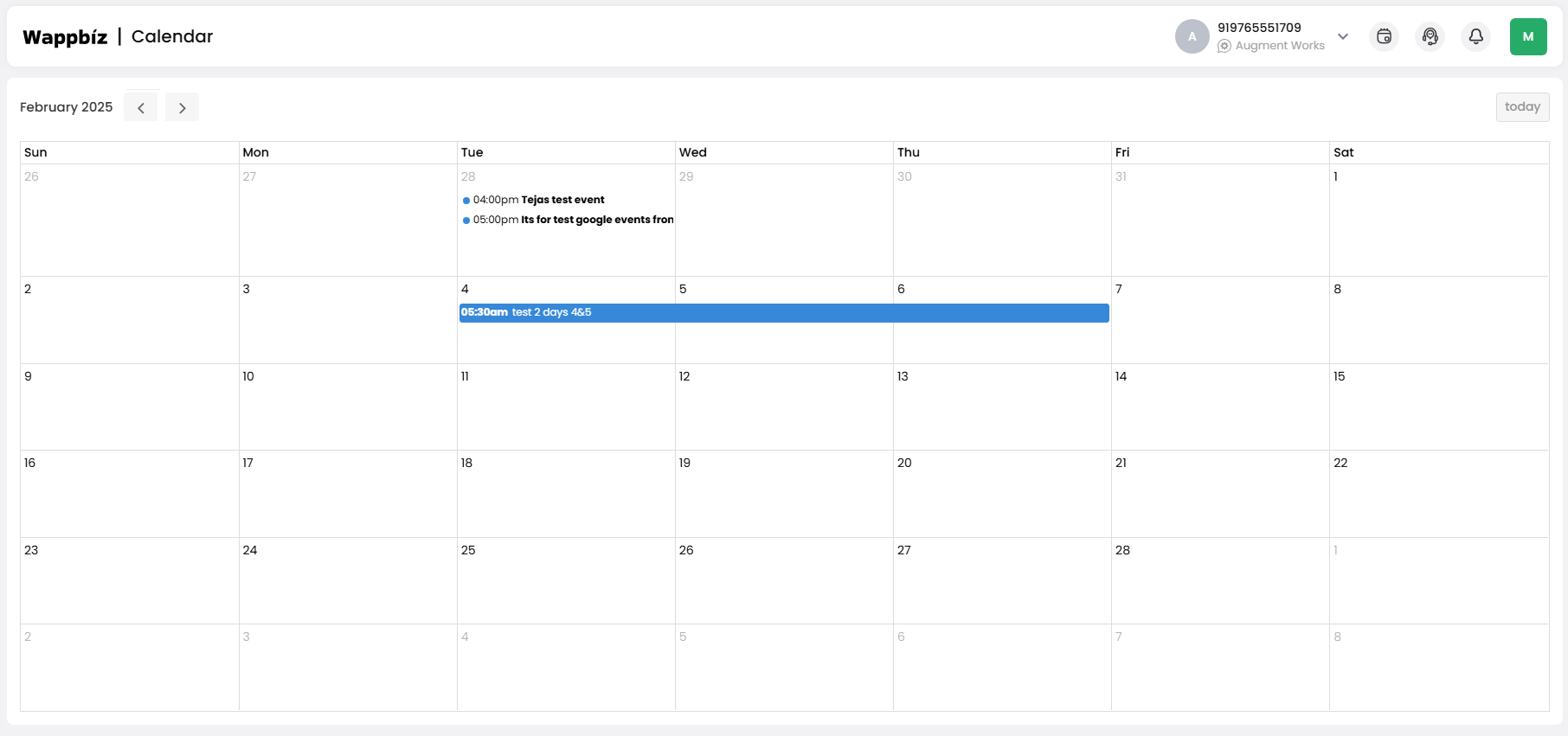
Step 4 : Integrated successfully
Once the integration is complete, your Google Calendar events will be synced with WappBiz, ready for automatic updates and notifications.
You're All Set!
Now, you’re all set to manage appointments and send WhatsApp reminders effortlessly!
Frequently Asked Questions
You can share Google Calendar events on WhatsApp by copying the event link or details and sending them directly in a chat.
Google Calendar can be integrated with WhatsApp using third-party automation tools like Wappbiz.
Link Google Calendar to WhatsApp by setting up workflows in automation platforms that send calendar notifications via WhatsApp.
Open the event in Google Calendar, copy the event details or link, and paste it into a WhatsApp message.
Google Calendar doesn’t sync directly with WhatsApp but can be connected using third-party apps for notifications.
No, the setup is simple and does not require coding or technical expertise.
Yes, you can automate reminders, confirmations, and alerts based on your schedule.
Yes, customers can book appointments via chatbots, which sync with your calendar in real-time.