
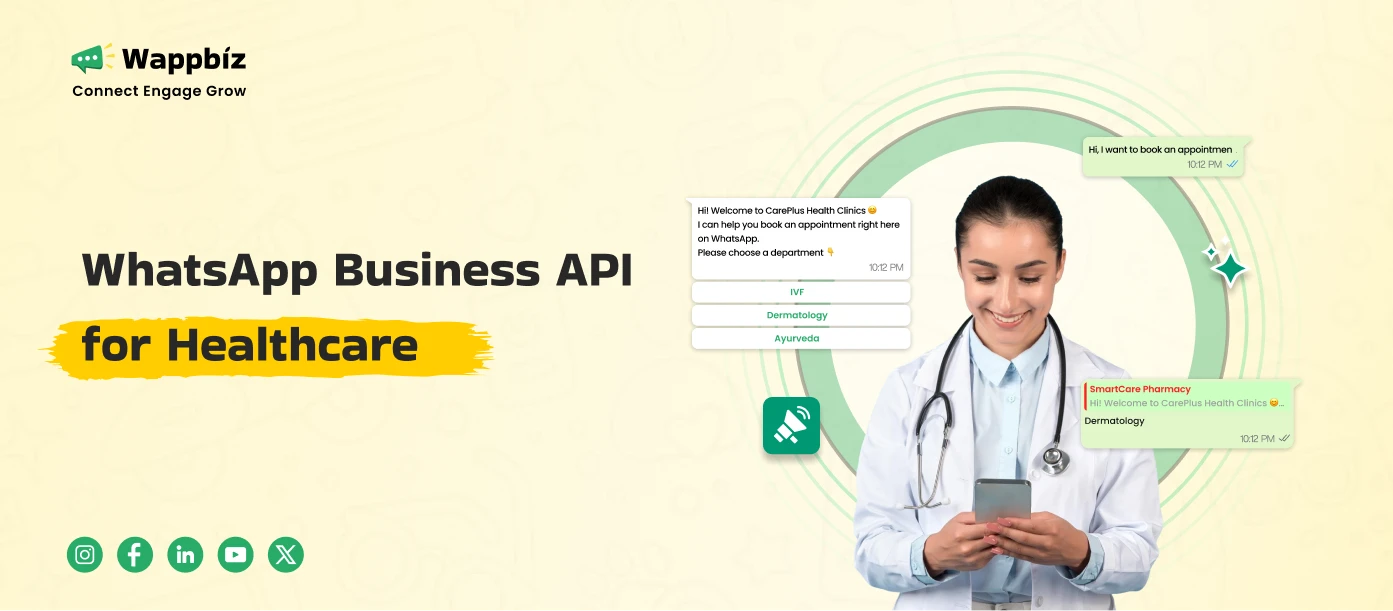
WhatsApp Business API for healthcare helps hospitals and clinics move from reactive communication to structured patient engagement. Instead of handling appointments, reports, and follow-ups manually, healthcare providers can automate these interactions through workflows that run consistently in the background.
The real value isn’t just messaging, it’s creating a predictable communication system across the patient lifecycle, from enquiry to post-treatment care.
What is WhatsApp Business API for Healthcare?
The WhatsApp Business API for healthcare is an official communication solution by Meta that enables hospitals, clinics, and healthcare providers to manage patient communication at scale using automation, workflows, and integrations.
Unlike regular WhatsApp usage, it transforms messaging into a structured system for patient engagement, appointment management, and care coordination.
In a healthcare context, it allows you to:
- Manage patient conversations across teams
- Automate repetitive communication (appointments, reminders, reports)
- Integrate messaging with hospital systems
- Handle high volumes without delays
Unlike the WhatsApp Business App, which is manual and single-user, the API enables structured workflows and automation at scale.
Core Features of WhatsApp Business API in Healthcare
1. Appointment Workflow Automation
This goes beyond simple booking.
A structured workflow includes:
- Slot selection via chatbot
- Instant confirmation
- Timed reminders (24-hour + same-day)
- Response options (confirm / reschedule)
Why it matters:
It reduces dependency on staff and ensures appointments are actively managed, not just recorded.
2. AI Chatbot for Patient Interaction
Healthcare queries are repetitive but critical.
A chatbot can:
- Answer FAQs instantly
- Guide patients to the right service
- Capture intent before human intervention
Example flow:
- “I need a cardiologist”
→ Show doctors → Book slot
Why it matters:
It filters and organizes patient queries before they reach staff.
3. Automated Report & Notification System
Instead of patients chasing reports:
- Trigger message when report is ready
- Share secure document links
- Add CTA for doctor consultation
Why it matters:
This connects backend operations with real-time patient communication.
4. Post-Consultation Follow-Up Automation
Most healthcare communication breaks after the visit.
With automation:
- Day 0 → Consultation summary
- Day 2 → Medication reminder
- Day 5 → Follow-up prompt
Why it matters:
Improves treatment adherence and keeps patients engaged beyond the visit.
5. Centralized Multi-Agent Communication
Instead of multiple staff using personal numbers:
- Shared inbox
- Conversation assignment
- Full visibility of patient history
Why it matters:
Ensures consistency, accountability, and better coordination.
6. Campaign & Preventive Care Messaging
Healthcare is not just reactiveit’s ongoing.
Use cases:
- Vaccination reminders
- Seasonal health alerts
- Preventive check-up campaigns
Why it matters:
Builds long-term patient relationships, not just one-time visits.
7. Integration with Healthcare Systems
The real power comes from integration.
You can connect WhatsApp with:
- Appointment systems
- Lab/report systems
- CRM or EMR
This enables:
- Event-based triggers (appointment booked, report ready)
- Automated workflows without manual intervention
How to Set Up WhatsApp Business API for Healthcare
The setup is structured and requires planning.
Step 1: Business Verification
- Submit business registration documents
- Verify Meta Business account
Step 2: API Access via Platform
- WhatsApp API does not have its own interface
- Use a platform like Wappbiz to operate it
Step 3: Number Registration
- Use a dedicated business number
- Configure display name and profile
Step 4: Template Approval
- Create templates for:
- Appointment reminders
- Notifications
- Reports
- Submit for WhatsApp approval
Step 5: Workflow Design
This is the most important step.
Define:
- Appointment journey
- Follow-up cycles
- Patient engagement points
Then build chatbot + automation flows accordingly.
Step 6: System Integration
- Connect with internal tools
- Enable trigger-based communication
Step 7: Go Live & Optimize
- Start with core workflows
- Track response and engagement
- Refine based on usage
Key Benefits for Healthcare Providers
1. Reduced Appointment No-Shows
Automated reminders and confirmations ensure patients don’t miss visits.
2. Faster Patient Response
Patients get instant replies instead of waiting on calls or staff.
3. Lower Front Desk Load
Repetitive queries and tasks are handled automatically.
4. Better Patient Experience
Clear, timely communication reduces confusion and builds trust.
5. Improved Follow-Up & Retention
Patients stay engaged even after treatment, increasing lifetime value.
6. Scalable Communication Infrastructure
Handle thousands of patients without increasing manpower.
Why Wappbiz Fits Healthcare Implementation
The API alone is infrastructure it doesn’t define workflows. Wappbiz enables healthcare providers to:
- Design patient communication journeys
- Build no-code chatbot flows
- Automate reminders, reports, and follow-ups
- Manage conversations across teams
This ensures WhatsApp becomes a system, not just a messaging channel.
Conclusion
Implementing WhatsApp Business API for healthcare is about creating structured communication that runs consistently without depending on manual effort.
The biggest shift is this:
From replying to patients → to guiding patients through a defined journey
Healthcare providers who adopt this approach:
- Reduce operational chaos
- Improve patient experience
- Build long-term engagement
If you’re planning to implement WhatsApp automation, start by mapping your patient journey Wappbiz helps you execute it seamlessly.