

Integrate MDoc with WhatsApp for Real Estate Marketing Automation
Use WappBiz templates in MDoc and run them seamlessly across WhatsApp campaigns and automated communication workflows—all from one platform.
Powering Customer Conversations for Growing Brands













Why Integrate MDoc with WappBiz?
Use WappBiz Templates in Mdoc
Import available Wappbiz templates from the library and make them accessible within your MDOC workflows.
Build WhatsApp Campaigns
Build and run WhatsApp campaigns from MDOC with Wappbiz templates for structured real estate customer communication
Centralized WhatsApp Communication
Manage and reply to all WappBiz WhatsApp chats directly within MDOC CRM, keeping team workflows in a single workspace.
Simplify Campaign Setup
Deploy WhatsApp campaigns instantly using 100+ pre-built templates without ever leaving MDOC.
Automated Lead Prequalification
Let smart chatbots automatically screen incoming inquiries 24/7, handing off only fully qualified prospects to your sales team.
Built for Real Estate Communication
Manage specialized property inquiries, site visits, and client follow-ups straight from your familiar MDOC dashboard using WappBiz power.
Simple Steps to Integrate MDoc with WappBiz
Step 1 : Enable MDoc Integration
Navigate to Manage > Integrations in your WappBiz account.
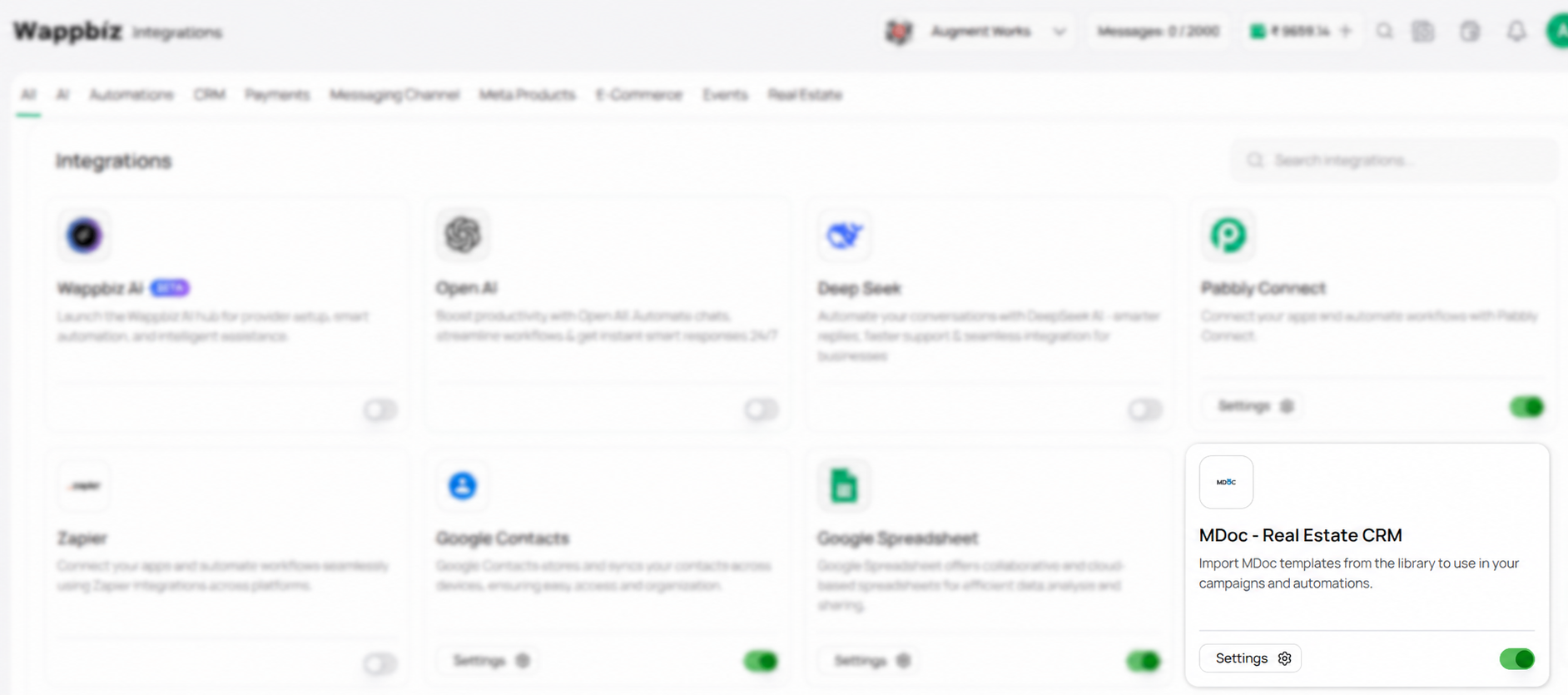
Step 2 : Select the Settings
Select MDoc – Real Estate CRM from the WappBiz Integrations section and open the integration settings.
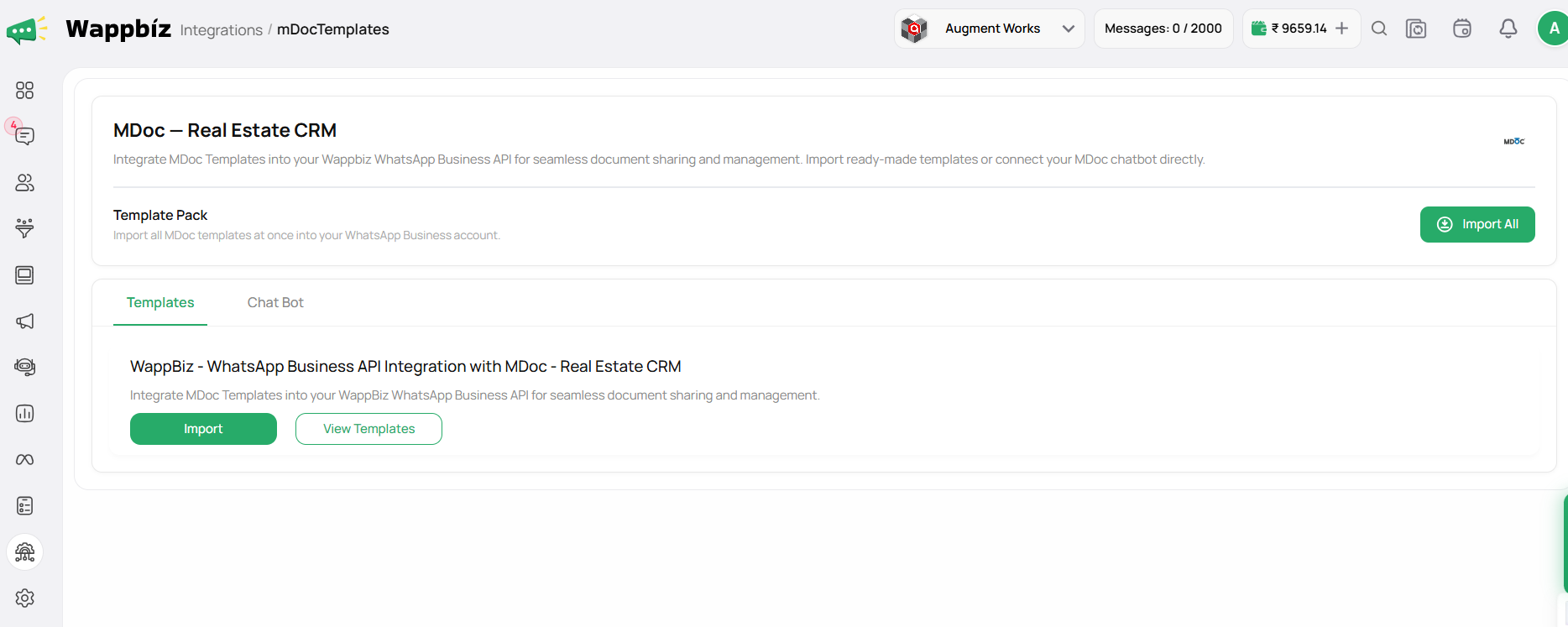
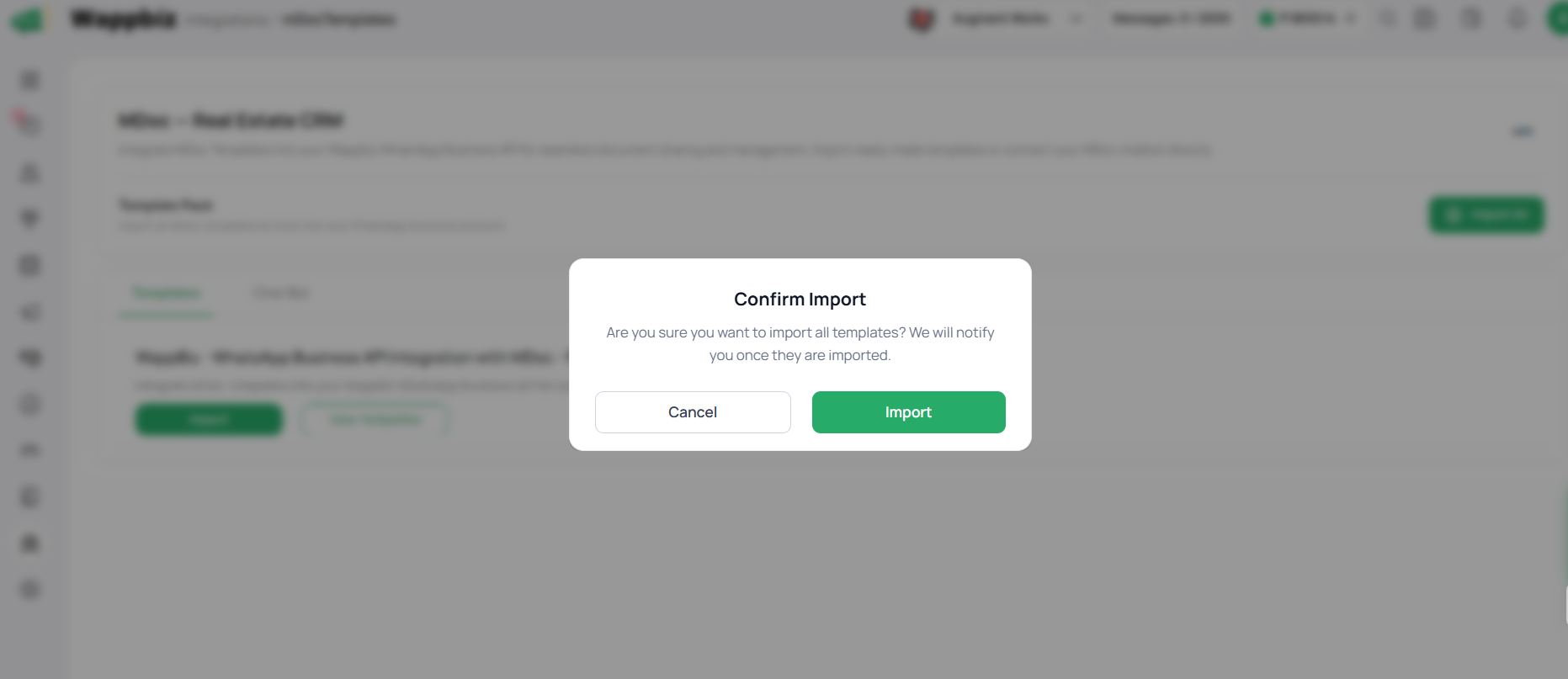
Step 3 : Allow Permissions and Import All Events
- Select the MDoc templates you want to import into WappBiz.
- Import the templates to use them in your campaigns and automations.
Step 4 : Integrated successfully
Once the integration is complete, you can import MDoc templates into WappBiz and use them seamlessly across your campaigns and automations.
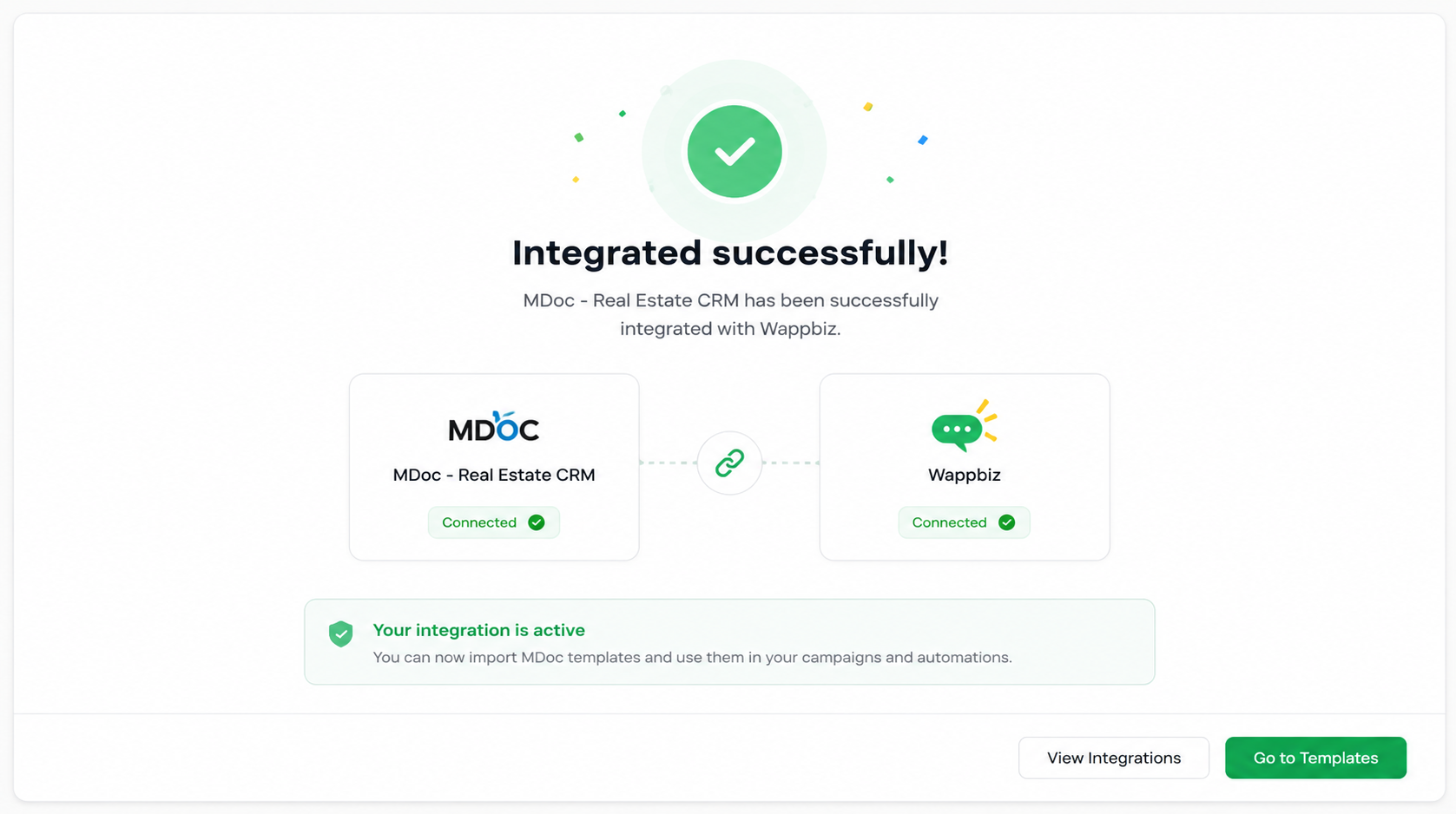
You're All Set!
Now, you’re all set to import MDoc templates and use them effortlessly across your WhatsApp campaigns and automations!

Frequently Asked Questions
The integration allows you to import MDoc templates into WappBiz and use them in your WhatsApp campaigns and automations.
Yes. Once imported, MDoc templates can be used while creating relevant campaigns in WappBiz.
Yes. Imported templates can be used within supported WappBiz automation workflows.
Go to the WappBiz Integrations section, select MDoc – Real Estate CRM, open the integration settings, and follow the available setup steps.
No. The integration is designed to let you import available MDoc templates into WappBiz instead of recreating them manually.
You can find MDoc – Real Estate CRM under the Integrations section of your WappBiz account.
It is especially useful for real estate businesses using MDoc that want to use their existing templates in WhatsApp campaigns and automated communication through WappBiz.
Once connected, you can import MDoc templates into WappBiz and use them across your supported campaigns and automations.