
Customers expect quick replies on WhatsApp, regardless of business hours. Businesses that automate replies on WhatsApp can reduce response delays, improve engagement, and manage customer conversations at scale. But automation only works when it feels relevant, structured, and human. Poorly designed auto-replies create frustration, while well-designed workflows build trust, consistency, and faster customer experiences.
A customer sends a message at 10 PM asking about pricing or delivery. If they receive a vague reply like “We will get back to you soon,” the conversation loses momentum. But if they instantly receive relevant information, expected response timelines, and the next step clearly explained, the experience feels organized instead of automated.
That difference is what separates reactive messaging from structured communication systems.
Why Businesses Automate Replies on WhatsApp
As customer conversations increase, manual replying becomes difficult to manage consistently. Teams start missing enquiries, follow-ups get delayed, and customers receive inconsistent experiences.
Businesses typically automate replies on WhatsApp to:
- Respond instantly to customer enquiries
- Handle after-hours communication
- Reduce missed leads
- Route conversations to the right team member
- Automate FAQs and repetitive queries
- Improve response consistency
- Manage large volumes of customer messages
For growing businesses, automation becomes less about convenience and more about operational scalability.
Why Most WhatsApp Automated Replies Fail
The biggest mistake businesses make is treating automation as a simple away message instead of a communication workflow.
Most automated replies fail because they:
- Sound generic and robotic
- Do not answer the customer’s actual question
- Provide no next step
- Create long delays after acknowledgment
- Lack team ownership and routing
- Ignore customer context or history
For example:
A customer asks about product availability and instantly receives:
“Thank you for contacting us. Our team will respond shortly.”
The customer still has no useful information. The reply acknowledges the message but does not move the conversation forward.
Trust breaks when automation creates dead ends.
WhatsApp Business App vs WhatsApp Business API
Businesses usually automate replies on WhatsApp using either:
- WhatsApp Business App
- WhatsApp Business API
The right choice depends on message volume, team size, and operational complexity.
WhatsApp Business App Automation
The WhatsApp Business App supports basic automation features such as:
- Greeting messages
- Away messages
- Quick replies
For small businesses handling low enquiry volumes, this setup may be sufficient. However, limitations appear as communication grows.
Limitations of the WhatsApp Business App
- Primarily designed for single-user management
- Limited automation workflows
- No advanced customer segmentation
- No structured lead routing
- Limited analytics and tracking
- No deep CRM integrations
- Difficult multi-agent collaboration
As businesses scale, manual communication gaps become operational problems.
WhatsApp Business API Automation
The WhatsApp Business API is designed for structured communication at scale.
Unlike the app, the API supports:
- Workflow automation
- CRM integration
- Chatbot systems
- Automated follow-ups
- Customer segmentation
- Lead routing and assignment
This transforms WhatsApp from a messaging app into a business communication infrastructure.
Platforms like Wappbiz help businesses operate the WhatsApp Business API through centralized dashboards, automation workflows, chatbot systems, analytics, and customer lifecycle management tools.
How to Automate Replies on WhatsApp Properly
Map the Customer Journey First
Before creating automated replies, businesses should identify:
- Why customers usually message
- What information they expect immediately
- What should happen after the first reply
- Which conversations require human escalation
For example:
Lead Enquiry Workflow
- Customer asks about a product
- Automated reply shares brochure or pricing
- Lead gets assigned to sales team
- Follow-up reminder triggers automatically
- Customer receives appointment or demo scheduling options
Automation handles predictable steps while humans handle complex conversations.
This creates consistency without removing personalization.
Use Contextual Automated Replies
The best automated replies feel useful, not scripted.
Instead of:
“We received your message.”
Use:
“Thanks for your enquiry about our pricing plans. Our team usually responds within 30 minutes. Meanwhile, here’s our latest brochure.”
Specificity improves trust because customers receive immediate value.
Good automated replies should include:
- Relevant context
- Clear timelines
- Helpful information
- Expected next steps
- Human escalation when needed
Set Up Team Routing and Ownership
Automation fails when nobody owns the conversation after the first reply.
Businesses should define:
- Which messages stay automated
- Which messages get routed to sales
- Which messages require support escalation
- Response ownership rules
- Follow-up timelines
With structured routing systems, customers experience:
- Faster responses
- Consistent communication
- Better accountability
- Reduced confusion
Platforms built on the WhatsApp Business API allow businesses to automate assignment and routing workflows across teams.
Where AI Chatbots Work Best on WhatsApp
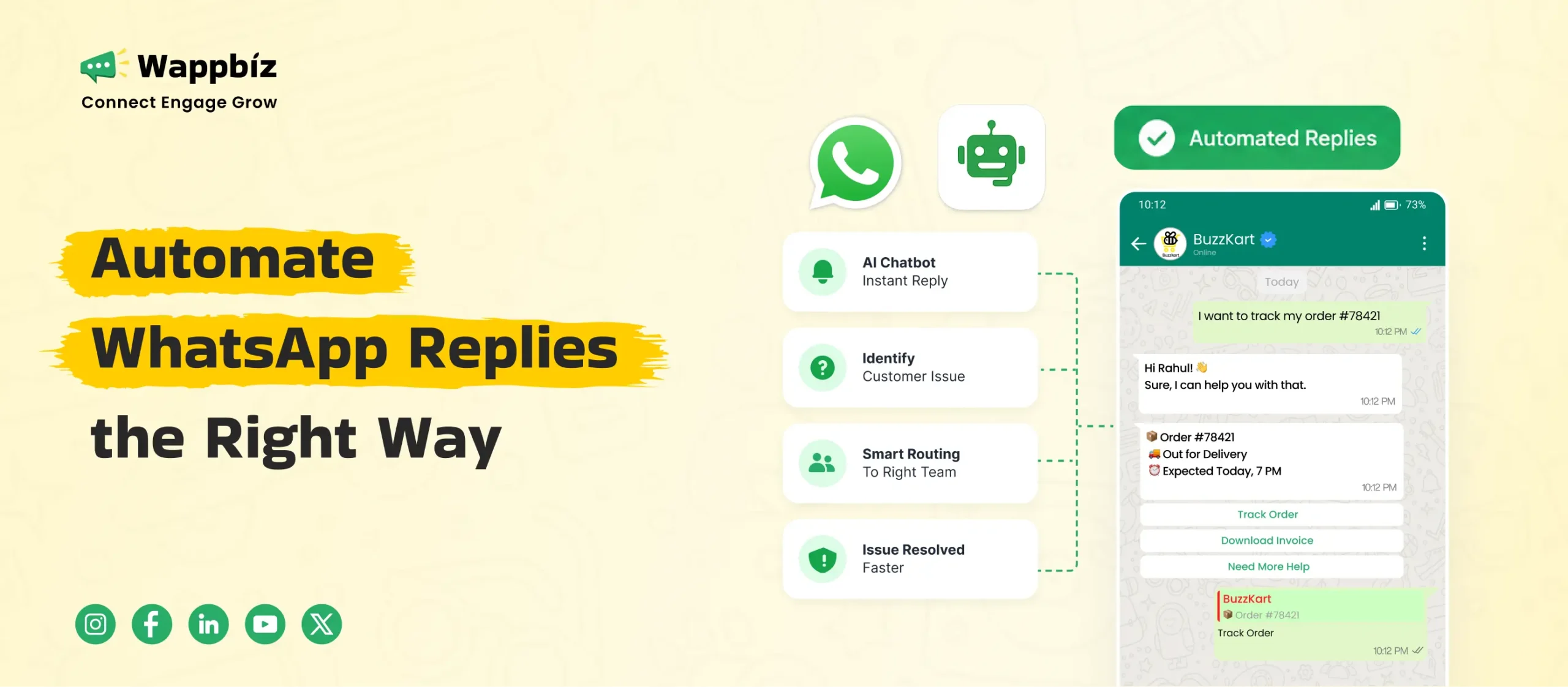
AI-powered WhatsApp chatbots work best in repetitive, high-volume workflows.
Examples include:
- FAQ handling
- Appointment booking
- Lead qualification
- Order status updates
- Payment reminders
- Basic support queries
For example, a chatbot can automatically ask:
- Preferred location
- Budget range
- Service requirement
- Appointment timing
The information can then be routed directly to the relevant team.
However, businesses should avoid over-automating conversations that require judgment, empathy, or negotiation.
The best systems combine automation with human support escalation.
Best Practices to Maintain Customer Trust
Businesses that automate replies on WhatsApp successfully usually follow a few key principles.
Respond With Useful Information
Avoid placeholder replies. Every automated message should move the conversation forward.
Keep Human Escalation Available
Customers should always have a path to speak with a real person when needed.
Avoid Over-Automation
Not every conversation should remain fully automated. Complex customer issues require human handling.
Use Realistic Response Timelines
Do not promise “instant support” if your team replies hours later.
Set accurate expectations.
Personalize Where Possible
Use customer information, order history, or enquiry context to make communication more relevant.
Understanding WhatsApp Automation Costs
The WhatsApp Business App is free to use.
The WhatsApp Business API works differently.
Businesses typically pay for:
- WhatsApp API platform subscription
- Meta messaging charges
Meta charges vary based on:
- Conversation category
- Destination country
- Messaging type
Categories include:
- Marketing conversations
- Utility conversations
- Authentication conversations
- Service conversations
Pricing structures may evolve according to Meta policy updates.
The larger operational question is not simply cost — it is the cost of delayed communication, missed follow-ups, and lost leads.
Why Structured WhatsApp Automation Builds Long-Term Trust
Customers value speed, but they also value clarity and consistency.
Businesses that automate replies on WhatsApp effectively do not rely on random templates. They build communication systems with:
- Defined workflows
- Structured follow-ups
- Team accountability
- Lifecycle automation
- Consistent customer experiences
This creates predictable engagement across the customer journey.
Platforms like Wappbiz help businesses structure these workflows using the official WhatsApp Business API, allowing teams to automate communication while maintaining personalization, visibility, and operational control.
When automation is designed properly, customers do not experience it as a bot. They experience it as professionalism.
Conclusion
Businesses automate replies on WhatsApp to improve response speed, reduce missed enquiries, and manage communication more efficiently. But automation alone does not build customer trust. Structured workflows, contextual messaging, human escalation, and operational consistency are what make automation feel reliable instead of robotic.
As customer communication grows, businesses need systems that go beyond simple away messages. Platforms like Wappbiz help businesses build scalable WhatsApp communication workflows using the official WhatsApp Business API, making customer engagement faster, more organized, and easier to manage at scale.